We went hunting over the three day weekend and killed these two plus three smaller ones. I can’t remember how many shots it took, but it was a lot!

Month: March 2009
Talk About Luck

Can you believe it? This guy wins 181 million in the lottery on a Wednesday, and then finds the love of his life just 2 days later. Talk about luck!
Related Posts
Areas Digital Forensic Investigators Find Evidence
[Abstract]
The purpose of this document is to provide a basic understanding of computer forensics by identifying five areas in computers and computer applications a forensic investigator can look for digital evidence. Also included within this document are three types of criminal investigations that can utilize the services of computer forensic investigators. Lastly, a description of these three types of criminal investigations can benefit from computer forensics. This document is intended for anybody looking to gain a basic knowledge or understanding of computer forensics and criminal investigations.
[Content]
With as much of technology that is in use today there may be a time that criminal investigative services may be required to collect data as evidence for criminal prosecution. The criminal investigative services may choose to use computer forensic investigators to gather the evidence to be used for prosecution. In order for a forensics investigator to be proficient at their job, they need to know where they can find the evidence they are looking for. The evidence forensic investigators look for is for the purpose of criminal investigation. There are different types of criminal investigations and there are different ways each of these investigations can benefit from forensic investigators.
When digital investigators are looking for evidence there are different areas where they can look. One of the simplest and most obvious place for investigators to look for evidence is on floppy diskettes, CD ROMs, DVD ROMS, Thumb drives, and any other type of removable media (Strickland, 2009). By looking on storage media criminal investigators can get an idea of what type of data is being stored or loaded onto the system. This can prove to be useful in the event that third-party applications are being used to circumvent investigations. By finding an application on a removable storage device, investigators can gather information that may be useful for returning a system back to its original condition when the crime was being committed. It is also possible that storage devices can provide clues or evidence against the suspects that are being investigated.
System storage devices are other places to look for digital evidence. System hard drives can storage mass amounts of data that can be used as evidence, however these mass storage devices may take longer to find the evidence depending on how many different types of applications were used, if anti-forensic software tools were used, and if encryption software was used. System and application log files, as well as, browser history and cache files, e-mails, digital photographs, and global positioning system logs can hold important pieces of data which can identify how the system was being used, what it was being used for, what types of crimes were being committed, and they can also tell an investigator about some of the software applications that were being used on the system (Kennedy, 2006). When a forensic investigator searches a hard drive they may have to use third-party software to search through Meta data that identifies what types of files reside on the system. Meta data is information that is used by the computer to, not only identify what type of file is on the computer, but also what files link to other files. Additional forensic tools may need to be used on a system storage device to look for evidence that is embedded within applications or even hidden. System storage devices can hold critical evidence, however depending on what software was used on the system, the recovery of the evidence can take long periods of time.
Computer memory is a place where forensic investigators can find chunks of data that was stored when the system was being used. As systems use more and more random access memory, this type of memory is used to store data for faster access during the system’s operation. Since RAM is used to store information when the system is being used, it is clearly a good location to find evidence. Although, RAM is used by the computer it is unlikely that the type of information that is found to be stored in RAM is going to be readable by humans, so forensic applications will most likely need to be used in order to find the critical evidence.
Documentation that has been printed out from a computer system is considered original documentation and is permissible as digital evidence. Under the best evidence rule, many judges allow digital printouts to be used as evidence. Digital printouts are considered original forms of work, as it is unique to the printer that was used when the crime was committed. Some printers even are sophisticated enough to have memory built into them and the memory found in the printer may contain digital evidence for forensic investigators.
There are many different types of criminal investigations, however some types of criminal investigations that can greatly benefit from digital forensics are investigations that involve crimes of: sex, hate, theft, narcotics, wrongfully accused, and even kidnapping. For crimes that involve sex, to include sex with minors, many times chat application log files can hold much evidence against the accused. For a crime of theft a spreadsheet that holds information like, items, serial numbers, locations, and other information can prove to be a great asset. Crimes that involve narcotics can benefit from possible chat log information, but more likely e-mail traffic can prove to be a greater asset for evidence. No matter which criminal investigation is being conducted the investigation can greatly benefit from the use of digital forensics.
In conclusion, there are many types of criminal investigations that can benefit from the use of forensic investigators. Many of the criminal investigations include crimes of sex, narcotics, hate, wrongfully accused, and kidnapping. When digital forensic investigators are being used to gather digital evidence for a criminal case some of the locations where evidence can be found include: printouts, removable storage devices, internal storage devices, application logs, browser history files, browser cache files, e-mail, random access memory, and possibly even printer memory. No matter what type of criminal offense was committed, as long as a computer was utilized to commit the crime, the different types of criminal investigations can benefit from digital investigators gathering evidence to prove the crime was committed.
References
1. Strickland, Jonathan (2009). How Computer Forensics Works. Retrieved March 29, 2009, from Howstuffworks “How Computer Forensics Works” Web site: http://computer.howstuffworks.com/computer-forensic.htm/printable
2. Kennedy, Ian (2006, August). Looking for foul play – digital forensics Part 2. Retrieved March 29, 2009, from Looking for foul play – digital forensics Part 2 Web site: http://www.bcs.org/server.php?show=ConWebDoc.6231
Related Posts
Challenges Forensic Investigators Face
[Abstract]
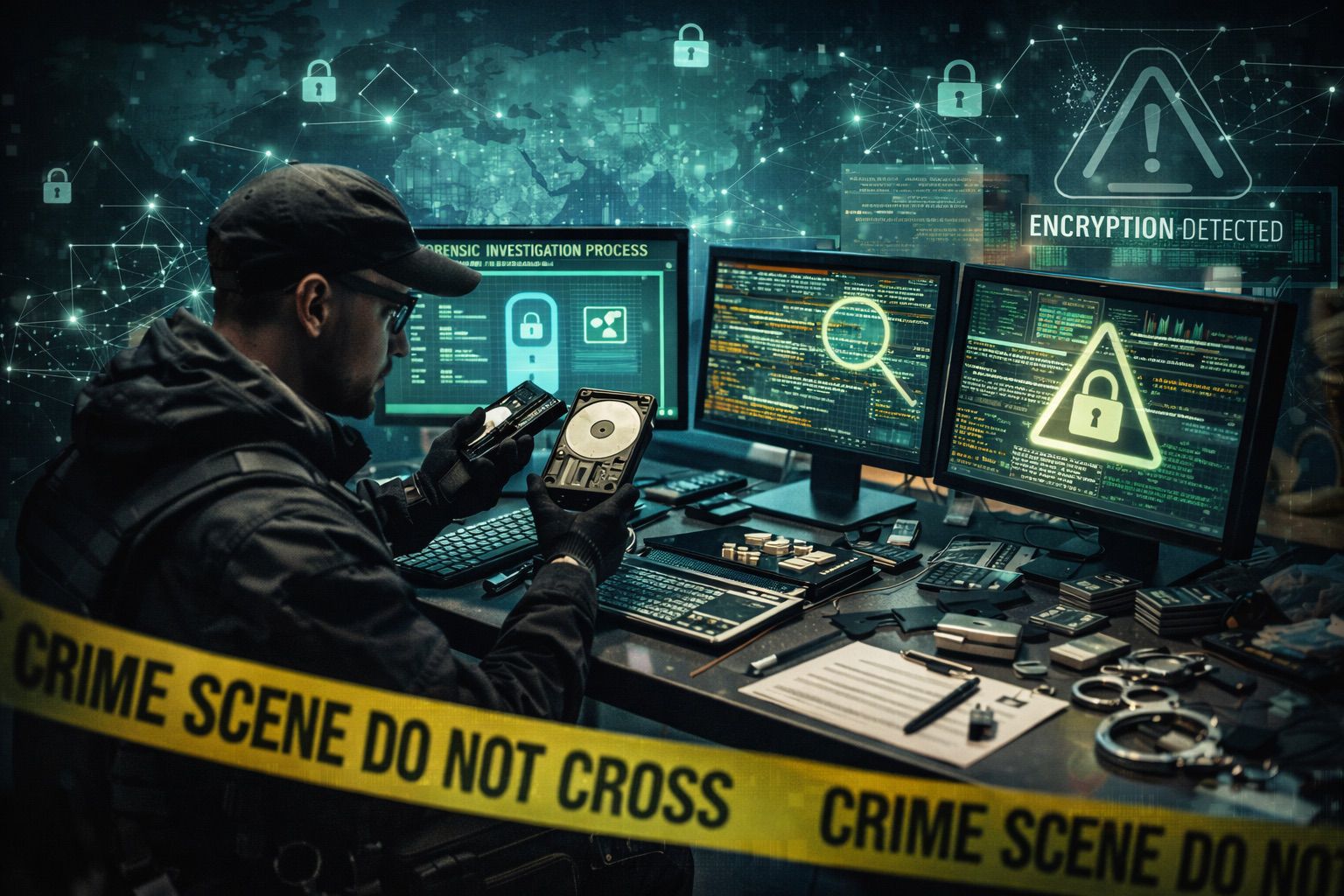
The purpose of this document is to provide a basic understanding of computer forensics by identifying five technology-related challenges that digital forensics investigators are faced with. Also included within this document are solutions to resolve each of the challenges. This document is intended for anybody looking to gain a basic knowledge or understanding of computer forensics and challenges investigators face.
[Content]
With the use of technology today there may be a time that criminal investigative services may be required in order to collect data as evidence for criminal prosecution. The criminal investigative services will most likely use computer forensic investigators to gather the evidence to be used. Even though computer forensic investigators may be proficient at their jobs there are still challenges that they are faced with in order to perform their job efficiently and effectively. Even though there are a number of challenges there are also solutions or methods that can aid investigators to gather the evidence they need.
One major challenge that may be encountered is the credibility and proficiency of the technician gathering the evidence. Technicians need to stay up to date on the latest operating systems, data collection procedures, and any additional software that may be utilized in the collection process. In the event a technician is not current on a particular software application or operating system, training courses or certifications may need to be obtained in order to maintain a level of proficiency according to policy and procedures. Technicians also need to gather evidence in accordance with any written policies or standard operating procedures. By following company guidelines, technicians minimize the ability to be discredited.
Standardization of the procedures for gathering evidence, handling evidence, transporting evidence, access to evidence, and even documentation of evidence poses a real challenge for forensic investigators. Prior to embarking on any incident response, technicians need to be current on any company standardization practices to ensure everything from obtaining evidence down to the documentation of evidence is being handled and documented consistently according to company policies. By following standardization practices a technician minimizes the ability to have evidence withdrawn from a case because it is the forensic investigators job to gather the evidence in a proper manner to be used against a defendant in a court of law.
Proper gathering of evidence can be a major challenge for forensic investigators. Forensic investigators need to be thorough in the gathering of evidence and ensure they do not leave anything behind (Kruse & Heiser, 2002). They also need to ensure they mark or tag any evidence as it leaves a crime scene so that it does not get lost in transit. A method for gathering and tagging evidence is by creating a list of every piece of evidence before it leaves the crime scene, ensure everything at the crime scene is gathered, and then upon arrival of where the evidence will be stored validate every piece of evidence was received. The evidence list may need to be verified by more than one person in order to maintain absolute integrity of the evidence that was gathered. By properly marking any and all evidence at a crime scene and then verifying all of the evidence this ensures all evidence is properly gathered and received just as it was when it was at the crime scene so that further investigations can take place on the evidence that was gathered.
Another major challenge that can be faced is the mishandling of evidence. When evidence is being gathered it needs to be treated as evidence and should be secured at all times. Only authorized personnel should have access to the evidence to prevent the possibility of tainting the evidence. By maintaining a written record or log of who is in current possession of the evidence, how the evidence was collected, and from what piece of equipment or hardware the evidence was collected from will ensure the evidence is being handled in accordance to policies, procedures, and with best practices in mind. This will ensure the evidence was handled in the correct manner, by the correct people, and in accordance with any laws.
Lastly the use of anti-forensic tools or encryption can pose a major challenge for forensic investigators. Anti-forensic tools can change header information of files found on a computer making files appear to be a different type of file which could cause a forensic investigator overlook critical evidence (Strickland, 2009). Encryption can also be a major challenge to forensic investigators because encryption uses a key to hide or conceal information on a computer system or during transit of information. It is a forensic investigator’s job to present the evidence gathered in the state it was when the crime was being performed. In order to return the evidence back to the state it was previously in a forensic investigator many need to use software applications or hash checking applications to do so.
In conclusion, due to the relatively new age of computer forensic investigative services there are many challenges that can be faced by a forensic investigator. By an investigator maintaining a current, up-to-date, technical proficiency in conjunction with following all company policies, procedures, and standardization practices an investigator greatly increases their ability to gather evidence in a proper fashion. Investigators also need to thoroughly document and handle evidence in a proper manner to include gathering and tagging all evidence so that a proper investigation can be conducted.
References
1. Kruse, W & Heiser, J. (2002). Computer Forensics Incident Response Essentials. Indianapolis, IN: Lucent Technologies
2. Strickland, Jonathan (2009). How Computer Forensics Works. Retrieved March 29, 2009, from Howstuffworks “How Computer Forensics Works” Web site: http://computer.howstuffworks.com/computer-forensic.htm/printable
Related Posts
Another Thawte Notary 10 Points
Today I took a train for 1 hour to a little place called Tsutsujigaoka. This is in Tokyo, but it is probably a part of Tokyo that I would not normally go to. When I got there I was met by a nice German guy who works for a bank. We went to a coffee shop, even though I can’t stand coffee, and we filled out all the necessary paperwork and started talking a bit about security and what each of us does. It was really cool to meet a guy who has very similar interests and it is neat to see how the financial industry deals with security. We talked for about 10-15 minutes and then I ventured my way back home, taking another hour to get back. Unfortunately I did not take any photos on this trip.
Related Posts
Don’t Choke on Food in the South
Two hillbillies walk into a restaurant. While having a bite to eat, they talk about their moonshine operation. Suddenly, a woman at a nearby table, who is eating a sandwich, begins to cough, and after a minute or so, it becomes apparent that she is in real distress.
One of the hillbillies looks at her and says, ‘Kin ya swallar? The woman shakes her head no. Then he asks, ‘Kin ya breathe?’
The woman begins to turn blue and shakes her head no.
The hillbilly walks over to the woman, lifts up her dress, yanks down her drawers and quickly gives her right butt cheek a lick with his tongue. The woman is so shocked that she has a violent spasm and the obstruction flies out of her mouth. As she begins to breathe again, the Hillbilly walks slowly back to his table.
His partner says, ‘Ya know, I’d heerd of that there ‘Hind Lick Maneuver’ but I ain’t niver seed nobody do it!
Related Posts
Thawte Notary 10 Points
Today I took the train for about an hour and stopped at Kawasaki to meet a Japanese guy who worked at IBM. We filled out the necessary forms right there in the train station and then I had to fight rush hour traffic for an hour to get back home. That was my first time to Kawasaki and it was neat to meet another person with the same interests, but our conversation did not get too deep because he didn’t speak English and my Japanese speaking abilities doesn’t really get into technical words. It was an experience and now I’ve only got 90 more points to go in order to become a notary myself. Along the train ride I passed a place Shitte, I can’t say that I would want to live in Shitte town. Below is a photo of that. The second photo is inside Kawasaki train station. As you can see, it was pretty busy.


Related Posts
Thawte Notary
I have recently embarked on a new venture and it is to obtain a Thawte web of trust notary status. In order to obtain this status I have to accumulate 100 points by meeting with different people face to face and filling out paperwork that verifies we met face to face and showing my identification to prove I am who I say I am. The notary who is validating my identity must maintain a record that we have met in person and protect this information for up to 5 years. Different notaries are able to give different amounts of points based on how many people they have notarized with a maximum of 35 points. This venture will give me my name on my digital certificate as well as notary status so that I will be able to assist others with getting their names on their digital certificates too. It may not be too impressive to most people, however having private data being protected when transmitted via electronic mail usually makes me feel a little bit safer. At first I didn’t think this was going to be very much fun at all, but once I met a couple different people, it is actually pretty fun to go places I probably normally would not go and meeting other people with the same interests as me. I will keep a log and track each place I go on upcoming posts.
Related Posts
Billy Bob Gets Deflowered
In a small town in Tennessee, Big Bubba decides it’s time for his son, 14 year old Billy Bob, to learn the facts of life. He takes him to the local house of ill repute, which is fronted by a beauty parlor.
Bubba introduces Billy Bob to the madam, and explains that it’s time for his indoctrination to sex.”
The madam says, “Bubba you’ve been such a good customer over the years, I’m going to see to this personally.”
So the madam takes Billy Bob by the hand and leads him upstairs, where she completes his deflowering.
Later, as they are walking downstairs the madam says, “Since this is your first time, I’m going to see that you get the full treatment before you leave, I’m going to give you a manicure.”
Two weeks later Bubba and Billy Bob run into the madam on the main street. Billy Bob is acting a little shy. so the madam smiles and says,
“Well, Billy Bob, don’t you remember me?”
“Yes ma’am the boy stammers, “You’re the lady that gave me the crabs and then cut off my fingernails so I couldn’t scratch ’em.”
Related Posts
Internet Protocol Security (IPsec)
Abstract
The purpose of this document is to provide a basic knowledge and understanding of the Internet Protocol Security otherwise known as IPSec to include additional protocols that are used as part of the IPsec suite. This document is intended for anybody looking to gain a basic knowledge and understand of what IPSec is and how it works.
Content
In order to ensure the confidentiality of data on a network there may be a need to use different forms of encryption or encryption techniques. The Open Source Interconnect (OSI) model can be used as a guideline to know how data is being protected and at which layer of the OSI model the data is being protected at (Teare, 1999). The seven layers of the OSI model are:
Application
Presentation
Session
Transport
Networking
Data link
Physical
One of those methods to ensure data is secure is by using Internet Protocol Security, otherwise known as IPsec. IPsec functions at the Networking Layer, which is the same layer of the OSI, model that the Internet Protocol works at. Because IPsec works at the Networking Layer all of the Layers above the Data Link Layer are being protected. Other security systems like SSL, TLS, and SSH, function at higher levels of the OSI model and a system needs to be designed to incorporate these security systems, however due to IPsec functioning at the Networking Layer it is more flexible and systems do not need to be designed to use IPsec.
IPsec uses different protocols to authenticate and encrypt each packet within a data stream. IPsec is a framework of open standards that uses protocols like Inter Key Exchange (IKE and IKEv2), Authentication Header (AH), and Encapsulation Security Payload (ESP) to ensure secure communications. During the beginning of a session of communications between hosts, the IKE protocol establishes a mutual agreement of which shared secret key will be used during a session. The sessions of secure communications can be established between different hosts, gateway and hosts, and gateway and firewall. Once two hosts establish which cryptologic key will be used secure communications can begin. When a packet is sent from one host to another the receiving host uses the AH protocol, which ensures the integrity of a packet and that the packet is being sent from an authenticated host. The authentication header protects against replay attacks by using a “sliding window technique” that discards any aging packets (Network Sorcery, Inc., 2004). The Encapsulation Security Payload (ESP) transforms the data by encrypting it with an encryption algorithm key and then repackaging the datagram to include and ESP header, ESP trailer, and ESP authenticated data. Even though IPsec sounds like one form of encryption it is actually a suite of protocols that are used in conjunction with each other by using their own methods to ensure the data is being transferred from one host to another securely.
In conclusion, IPsec is actually a suite a protocol that function at the network layer of the OSI model to ensure data is being transferred from one host to another securely. As part of the IPsec suite the inter key exchange, authentication header, and the encapsulation security payload each perform their own function and build upon each other. The inter key exchange protocol is responsible for negotiating from one host to another to come to a mutual agreement on which shared secret key will be used. The authentication header protocol is responsible for ensuring the integrity of the data and protecting against replay attacks. The encapsulation security payload is responsible for encrypting the data and transforming the datagram so that the remote host can successfully decrypt the datagram and read the data.
References
1. Teare, Diane (1999). Internetworking Technology Handbook – Internetworking Basic – Cisco Systems. Retrieved March 13, 2009, from Internetworking Technology Handbook – Internetworking Basic – Cisco Systems Web site: http://www.cisco.com/en/US/docs/internetworking/technology/handbook/Intro-to-Internet.html#wp1020580
2. (2004, June 7th). AH, Authentication Header. Retrieved March 13, 2009, from Network Sorcery, Inc. Web site: http://www.networksorcery.com/enp/protocol/ah.htm
Related Posts
Pretty Good Privacy
Abstract
The purpose of this document is to provide a basic understanding Pretty Good Privacy (PGP) and how it applies to message security. Also included within this document is an explanation to provide a basic understanding of what functions PGP performs to ensure a message is secured. Finally this paper explains why the first two octets (16 bits) of the message digest are translated in the clear and how the writer views this as an issue to respect of security compromise of the hash algorithm.
Content
With more and more governments, businesses, and people using the Internet more and more of our information is becoming digital and thus creating an increased demand for the security of personal or private information. One method for ensuring information is being protected is to encrypt e-mail or message traffic. There are different means of encrypting messages, however one method called Pretty Good Privacy, or PGP for short, was created by Phil Zimmerman to “create an awareness of the privacy issue in the digital age (Poole, Caftori, Lal, Rosenburg, 2005).”
Pretty Good Privacy (PGP) is a computer program that provides encryption and authentication to increase the security of e-mail communications. PGP binds a message to an e-mail address or a username with the use of the public-key cryptography. Because PGP uses the public-key cryptography it uses a public and private key. PGP can be used with a “Web of Trust” or through an automated key management server architecture for public key distribution, however the private key kept secure by the user. When a message is encrypted the private key is used to encrypt the message, which can be a key based off the RSA, DSS, or Diffie-Hellman encryption algorithms. The combination of the digital signature, which uses a SHA-1 for hash coding, in conjunction with the RSA provides an effective digital signature scheme. After a user generates a message they wish to encrypt the SHA-1 generates a 160-bit hash code of the message (Stallings, 2007, p.439). The hash coded is then encrypted with the user’s private key and the result is placed at the beginning of the message. Once the recipient of the message receives the message, the sender’s public key is used to decrypt the message and obtain the hash code. The receiver of the message then generates a new hash code of the message and then the two hash codes are compared. If the hash code obtained from the sender’s message and the generated hash code from the receiver match, then the message is considered authentic.
The message digest is the 160-bit SHA-1 hashed code that is encrypted using the message sender’s private key. Using the signature timestamp and combining this with the message calculate the message digest. Because the digest uses the signature timestamp, this helps to protect against replay attacks. The first 16 bits of the message digest are not encrypted, but are actually used by the receiver of the message to identify if the correct public key was used. Although this may seem like a security vulnerability because the first 16 bits are not encrypted, it actually is not because these first 16 bits are used as a frame check for the message. The frame check is able to take place by the message recipient by using these first unencrypted 16 bits and comparing them to the first 16 bits of the decrypted digest and thus performing authentication of the message (Stallings, 2007, p.448). When the process is broken down, it is apparent that the first 16 bits that are in plaintext are not a security vulnerability, but rather used to compare the decrypted digest with these plaintext bits for a message frame check and authentication purposes.
In conclusion, Pretty Good Privacy was first developed by Phil Zimmerman to produce awareness of ensuring private data is secure. Pretty Good Privacy is widely used today and works by using public-key cryptography and methods of a web of trust or automated key management servers to distribute public keys. The process PGP uses to encrypt and decrypt messages is an elaborate process, which includes using 16 bits of plaintext in conjunction with a decrypted message digest to authenticate the message sender’s public key. When asked if these unencrypted first 16 bits of the message digest pose a security concern the answer can clearly be stated, “The plaintext 16 bits of the message digest pose no security threat to the hash algorithm.”
References
1. Poole, Caftori, Lal, Rosenburg, Bernie, Netiva, Pranav, Bob (2005, November 7th). A Tutorial for Beginners to PGP. Retrieved March 14, 2009, from A Tutorial for Beginners to PGP Web site: http://www.pitt.edu/~poole/PGP.htm
2. Stallings, W. (2006). Confidentiality using symmetric encryption. In
Cryptography and network security (4th ed., pp. 439-448). Upper Saddle
River, NJ: Pearson Prentice Hall.
Related Posts
I Was Drugged
Digital Signature Properties
Abstract
The purpose of this document is to explain specific properties that a digital signature should have. This document also provides an explanation of the differences between direct and arbitrated digital signatures. Lastly this document explains what a suppress-replay attack entail. This document is intended for anybody looking to gain a basic understanding or a general knowledge about different types of digital signatures and vulnerabilities.
Content
When working with computer security, information assurance, information privacy, etc. there may be a time when you may have to deal with digital signatures. It is good to know a little bit about digital signatures including the properties of a digital signature. There may also be a time that you might want to know differences between digital signatures. You may also want to know about security vulnerabilities when dealing with digital signatures. Instead of going out and finding trusted sources for information and then having to research each specific item, you can look no further and find the information you are looking for right here.
There are some properties that a digital signature must have in order to serve its purpose. A digital signature must be authentic (Leiwo, 2003). This means that person who signed the document deliberately did so. A digital signature must be unforgeable. This means that somebody else cannot act on behalf of a person and only the signer is the individual who signed the document. The signed document must be unaltered. This means that after the document was signed, nothing within that document has changed. Digital signatures must not be reusable. This means that after a document has been signed, any part of the document cannot be used elsewhere. Digital signatures cannot be repudiated. This means that once a document is digitally signed, the signer of the document cannot say that they did not sign the document. If any of these properties do not exist for a digital signature the whole digital signature scheme collapses and is essentially unusable. The properties that a digital signature must have pertain to the sender of the document is who they say they are, the receiver of the document is who they say they are and that no part of the document was changed, altered, or allowed to be used at a later point in time.
In order to better understand direct digital signatures and arbitrated digital signatures, it is first important to know what the differences are. A direct digital signature is a signature that a sender of a message contacts the receiver and gives the receiver the sender’s public key. The sender then sends a secure message to the receiver where the receiver uses the sender’s public key to unencrypt the message and read the contents. Although this method seems more secure than having a 3rd party involved, however there are some drawbacks to it. One major drawback is that the sender can deny sending a message simply by claiming that their key was compromised (Yoon, 2004). Another major drawback is that the security of the message being sent is only as good as the security of the sender’s private key. Lastly, if a digital key was compromised a message could be sent with a compromised key. An arbitrated digital signature is a signature in which a sender sends a message, and a receiver receives a message and that there is a 3rd party that validates the sender is who they say they are, the receiver is who they say they are, and that the message was not compromised in any way. Much like the direct digital signature, the arbitrated digital signature has some drawbacks to it too. A major drawback to an arbitrated digital signature is that there must be a trusted 3rd party involved. The trusted 3rd party needs to maintain an active role in validating entities and contents of messages and therefore provides a bottleneck in message traffic. The arbitrated method does, however, solve the problems seen in the direct digital signatures. Direct and arbitrated digital signatures are methods used to send data from one validated person to another validated person without any data being changed.
A message replay attack is where a legitimate data transmission is delayed or captured and then replayed by an adversary in attempts to gain unauthorized access to data or resources. A replay attack can be used in conjunction with a masquerade where an unauthorized user pretends to be somebody else. There are countermeasures that can be taken in order to prevent these types of attacks from happening. One countermeasure is to use a timestamp on data or a message. Another countermeasure is by using tokens to verify timestamps of messages. Another countermeasure is to use a message authentication code (MAC). They’re using proper precautions these attacks, however, can prevent attacks that are designed to retransmit or delay data in attempt to gain unauthorized access.
In conclusion, digital signatures have certain properties to them that are part of the digital signature design scheme that is aimed at validating a sender, recipient, and a message and the contents of the message. A direct digital signature is where a sender of a message is responsible for ensuring the receiver obtained the sender’s public key securely and the sender’s private key is secure so that a message transfer can take place without any compromise, however there are some drawbacks to this method. An arbitrated digital signature is a method that uses a trusted 3rd party to validate the sender, the receiver, and the message contents and this method was designed to fix some of the drawbacks in the direct digital signature method. One security vulnerability is called a message replay attack, this is where a legitimate transmission of data is delayed or captured and replayed at a later point in time in order to gain unauthorized access, however if the proper security precautions are taken this attack can be prevented.
References
1. Leiwo, Jussipekka (2003, June 16h). Digital Signatures. Retrieved March 5th, 2009, from Cyptologic Protocols Web site: http://www.tml.tkk.fi/Studies/T-110.498/2003summer/Slides/lecture04.pdf
2. Yoon, H (2004, August 26th). Digital Signatures. Retrieved March 8th, 2009, from Digital Signatures and Authentication Protocols Web site: [URL Removed Broken link]
Related Posts
Message Authentication
Abstract
The purpose of this document is to define message authentication, as well as, to identify different types of attacks that message authentication was designed to protect against. This document is intended for anybody looking to gain a basic knowledge or understanding of message authentication.
Content
A Message Authentication Code (MAC) is a short piece of information used to authenticate a message between two parties. The MAC functions by using a message and a secret key to produce a fixed-length value that is used as an authenticator (Stallings, 2007, p.320). The message authentication performs two primary functions. The first function is to use the secret key and the message to produce the authenticator. The second primary function is to enable the receiver of a message to verify the authenticity of a message. A MAC is different from public-key encryption methods, such as digital signatures, because a MAC value is generated and verified by using the same secret key. Message Authentication Code, although similar to a cryptographic hash, does possess different security requirements. Message Authentication Code uses a message and a secret key to produce an authenticator that is used by a recipient of a message to authenticate the origin of the message and verify the authenticity of the message.
Message Authentication was designed to protect information against certain types of security vulnerabilities. Masquerading is the threat of message being sent from a fraudulent source or a fraudulent acknowledgement of a message receipt in which message authentication protects against (Ajarvi, 2001). Another threat that is protected against is the threat of content modification. Content modification is when information that is contained within a message is altered in some way. Sequence modification is a threat of changing the order of messages between parties and is minimized by message authentication. Another threat is called timing modification and this threat consists of delaying or replaying messages in order to gain unauthorized access. Message authentication protects against the security threats of masquerading, content modification, sequence modification, and even timing modification.
In conclusion, message authentication was designed to ensure a message can be sent from one person to another without being modified while in transit and to guarantee the message is being sent from the person the message says its from. Message authentication works by taking a message in conjunction with a secret key to produce a fixed-length item called an authenticator and then once the message is received the receiver of the message can verify the messages authenticity. Message authentication protects against different security threats like content modification, sequence modification, timing modification, and masquerading.
References
1. Stallings, W. (2006). Confidentiality using symmetric encryption. In
Cryptography and network security (4th ed., pp. 320-321). Upper Saddle
River, NJ: Pearson Prentice Hall.
2. Ajarvi, (2001, March 2nd). Message Authentication and Hash functions. Retrieved March 8, 2009, from Message Authentication and Hash functions Web site:
Related Posts
Two Plastic Bags
A little old lady was walking down the street dragging two large plastic garbage bags behind her. One of the bags was ripped and every once in a while a $20 fell out onto the sidewalk.
Noticing this, a policeman stopped her, and said, “Ma’am, there are $20 bills falling out of that bag. Oh really? Darn it!” said the little old lady. “I’d better go back and see if I can find them. Thanks for telling me officer.” Well, now, not so fast,” said the cop. Where did you get all that money? You didn’t steal it, did you?”
“Oh, no, no”, said the old lady. “You see, my back yard is right next to the football stadium parking lot. On game days, a lot of fans come and pee through a knot hole in the fence, right into my flower garden. It used to really tick me off. Kills the flowers, you know. Then I thought, ‘why not make the best of it? So, now, on game days, I stand behind the fence by the knot hole, real quiet, with my hedge clippers.
Every time some guy sticks his pecker through my fence, I surprise him, grab hold of it and say, ‘O.K., buddy! Give me $20, or off it comes.’
“Well, that seems only fair,” said the cop, laughing. “OK. Good luck! Oh, by the way, what’s in the other bag?”
“Well, you know”, said the little old lady, “not everybody pays.”
Related Posts
Bass Pro Shop
A woman goes into Bass Pro Shop to buy a rod and reel for her grandson’s birthday. She doesn’t know which one to get; so she grabs one and goes over to the counter. A Bass Pro Shop associate is standing there wearing dark glasses.
She says, ‘Excuse me, sir. Can you tell me anything about this rod and reel?’
He says, ‘Ma’am, I’m completely blind; but if you’ll drop it on the counter, I can tell you everything from the sound it makes.’
She doesn’t believe him but drops it on the counter anyway.
He says, ‘That’s a six-foot Shakespeare graphite rod with a Zebco 404 reel and 10-LB test line. It’s a good all around combination and it’s on sale this week for only $20.00.
‘It’s amazing that you can tell all that just by the sound of it dropping on the counter’, she says. “I’ll take it!” As she opens her purse, her credit card drops on the floor.
‘Oh, that sounds like a Master Card,’ he says.
She bends down to pick it up and accidentally “toots”. At first she is really embarrassed, but then realizes there is no way the blind clerk could tell it was she who tooted. Being blind, he wouldn’t know that she was the only person around.
The clerk rings up the sale and says, ‘That’ll be $34.50 please.’
The woman is totally confused and says, ‘Didn’t you tell me the rod and reel were on sale for $20.00? How did you get $34.50?’
He says, ‘Yes, Ma’am. The rod and reel is $20.00, but the Duck Call is $11.00 and the Bear Repellent is $3.50.
Related Posts
Wife 1.0
Dear Tech Support:
Last year I upgraded from Girlfriend 7.0 to Wife 1.0. I soon noticed that the new program began unexpected child processing that took up a lot of space and valuable resources. In addition, Wife 1.0 installed itself into all other programs and now monitors all other system activity, such as Poker Night 10.3, Football 5.0, Hunting and Fishing 7.5, and Racing 3.6. I can’t seem to keep Wife 1.0 in the background while attempting to run my favorite applications. I’m thinking about going back to Girlfriend 7.0, but the uninstall doesn’t work on Wife 1.0. Please help!
Thanks,
A Troubled User.
______________________________________
REPLY:
Dear Troubled User:
This is a very common problem that men complain about.
Many people upgrade from Girlfriend 7.0 to Wife 1.0, thinking that it is just a Utilities and Entertainment program. Wife 1.0 is an OPERATING SYSTEM and is designed by its Creator to run EVERYTHING!!! It is also impossible to delete Wife 1.0 and to return to Girlfriend 7.0. It is impossible to uninstall, or purge the program files from the system once Installed!
You cannot go back to Girlfriend 7.0 because Wife 1.0 is designed to not allow this. Look in your Wife 1.0 manual under Warnings-Alimony-Child Support. I recommend that you keep Wife1.0 and work on improving the situation. I suggest installing the background application “Yes Dear” to alleviate software augmentation.
The best course of action is to enter the command C:\APOLOGIZE because ultimately you will have to give the APOLOGIZE command before the system will return to normal anyway. Wife 1.0 is a great program, but it tends to be very high maintenance. Wife 1.0 comes with several support programs, such as Clean and Sweep 3.0, Cook It 1.5 and Do Bills 4.2.
However, be very careful how you use these programs. Improper use will cause the system to launch the program Nag Nag 9.5. Once this happens, the only way to improve the performance of Wife 1.0 is to purchase additional software. I recommend Flowers 2.1 and Diamonds 5.0! WARNING!!! DO NOT, under any circumstances, install Secretary With Short Skirt 3.3. This application is not supported by Wife 1.0 and will cause irreversible damage to the operating system.
Best of luck,
Tech Support
Related Posts
When Daddy Calls
‘Hello?’
‘Hi honey.
This is Daddy. Is Mommy near the phone?’
‘No Daddy. She’s upstairs in the bedroom with Uncle Paul.’
After a brief pause, Daddy says, ‘But honey, you haven’t got an Uncle Paul.’
‘Oh yes I do, and he’s upstairs in the room with Mommy, right now.’
Brief Pause. ‘Uh, okay then, this is what I want you to do. Put the phone down on the table, run upstairs and knock on the bedroom door and shout to Mommy that Daddy’s car just pulled into the driveway.’
‘Okay Daddy, just a minute.’ A few minutes later the little girl comes back to the phone. ‘I did it Daddy.’
‘And what happened honey?’
‘Well, Mommy got all scared, jumped out of bed with no clothes on and ran around screaming. Then she tripped over the rug, hit her head on the dresser and now she isn’t moving at all!’
‘Oh my God!!! What about your Uncle Paul?’
‘He jumped out of the bed with no clothes on, too. He was all scared and he jumped out of the back window and into the swimming pool. But I guess he didn’t know that you took out the water last week to clean it. He hit the bottom of the pool and I think he’s dead.’
***Long Pause***
***Longer Pause***
***Even Longer Pause***
Then Daddy says, ‘Swimming pool? Is this 486-5731?’
Related Posts
Public-key Directory

Abstract
The purpose of this document is to explain the four key elements to a public-key directory. Also included in this document is an explanation of what a public-key certificate is. This document is intended for anybody looking to gain knowledge about public-keys and public-key certificates.
Content
When working with the public-key cryptography there is a need to distribute public keys so that users are able to encrypt messages using the recipient’s public key. One method for distributing public-keys is by using a public-key directory. The public-key directory acts as a central repository for storing and distributing public-keys that have been established. The public-key directory is a listing where users can publish their public key to and then other users can find their public-key in order to send an encrypted message.
A public-key directory is a central repository where users who have registered and obtained cryptographic public and private keys can publish their public key in order to search the directory to find others or let others find them so that secure message traffic can be passed. By having a third-party maintain the public-key directory a greater level of security can be achieved (Stallings, 2007, p.291-292). In order for the directory to maintain a heightened level of security, it must first be maintained by a trusted organization. The trusted authority of the public directory would have to maintain four key elements for the directory. The first key element is that the directory stores a name and public key for each participant of the directory. The second key element is that each participant registers, either in person or over some authenticated means, with the directory authority. The third key element to the public directory is that all participants need to have the ability to update or change their keys at any time in the event that a key has been compromised. Lastly, all participants of the directory need to have the ability to access the directory electronically over some sort of secure means. Although the public-key directory provides a more secure means to distribute public keys, it does provide a single point of weakness in the even the directory’s private key has been cracked or illegally obtained. Another drawback to the public-key directory is that it provides a bottleneck for sending encrypted message traffic. The public-key directory is a centralized repository that has four key elements that must be achieved in order for the directory to be successful and even though the directory is more secure than individually distributing keys, it dos have some drawbacks.
An alternative method to using a public-key directory is similar, however it does not require requesting a recipients keys from a public-key authority. The alternative method would instead use digitally signed certificates that contains and identifier of the owner of a public key’s with the public-key and then it would be signed by a trusted third-party. Using this method a user can present their public key in a secure message in order to obtain a certificate. Then when the user wants to send an encrypted message to another user, all they have to do is provide the certificate of the person they want to encrypt a message to and then they know the key is valid because the certificate can only be created by the owner of that public key. This method has a need for a certificate authority to have the function of being the only entity that can create or update certificates. This method allows any participant to read a certificate in order to determine the name of the owner of a public key; the public keys itself, and the currency of the public key (Stallings, 2007, p.294). Using a public-key certificate method provides the means for users to lookup public keys and owners of the public keys based upon certificates, however the certificates can only be created or updated by certificate authorities.
In conclusion, there are multiple ways for users to send encrypted data to each other when using public-key cryptography. One method is for users to distribute their public keys themselves. Another method is using a public-key directory in which a public-key authority maintains the directory and provides public keys over secure channels. The public-key directory is more secure than users distributing keys themselves, however there are some drawbacks. Another method of establishing secure communications between users is by a user publishing their public key to a certificate authority in order to obtain a certificate. The certificate can then be used to verify the owner of the public-key, as well as, the keys authenticity. No matter which method is used, it is important to understand how they work and what is being accomplished by each of these methods.
References
1. Stallings, W. (2006). Confidentiality using symmetric encryption. In
Cryptography and network security (4th ed., pp. 291-292). Upper Saddle
River, NJ: Pearson Prentice Hall.
2. Stallings, W. (2006). Confidentiality using symmetric encryption. In
Cryptography and network security (4th ed., pp. 291-292). Upper Saddle
River, NJ: Pearson Prentice Hall.
Related Posts
Public-key Cryptography
Abstract
The purpose of this document is to provide a basic understanding of public-key cryptography. Also included within this document is a description of the basic components to the public-key cryptography system. This document is intended for anybody looking to gain a basic understanding or knowledge of public-key cryptography.
Content
When the Internet was first developed security was not a major concern as it was for different networking devices to have the ability to communicate with each other. As the Internet grew and evolved there became more of a need to ensure personal or private information was being protected from threats like: eavesdropping, impersonation, tampering, misrepresentation, and even spoofing. One method for protecting against these threats is by using public-key cryptography. Public-key cryptography protects against all of these threats by using an asymmetrical encryption process that provides encryption and decryption, tamper detection, authentication, and nonrepudiation (Sun Microsystems, 1998).
There are two primary uses of public-key cryptography, digital signing and encryption (RSA Security, 2009). When a person wants to send a digitally signed message to another person they must first register with a certifying authority (CA) to obtain a public and a private key. Once the keys have been obtained a user is able to use the key to authenticate onto a network and lookup the intended recipient in a global address listing (GAL). The person wanting to send a digitally signed message to a recipient then types up a message and chooses to digitally sign the message before sending to the recipient. Once the person pushes the send button within the e-mail client the system then performs a mathematical computation based on the private key and the message itself. When the recipient receives the message another mathematical computation is performed based on the message, the sender’s public key, and the purported signature. If the computation is correct then the signature has been verified, if the computation is incorrect then the message has been tampered or the signature is fraudulent. The mathematical computation that took place is based upon a mathematical relationship that exists between all public and private keys. Once the signature has been verified the recipient is able to read the message, knowing that is has not been altered and from a trusted source. If the message sender does not want to digitally sign a message or wants to include encryption, this process can be completed using similar steps. First the sender registers with a CA in order to obtain a public and a private key. The sender is then able to use their public key to authenticate onto a network. Once they have been authenticated onto the network they can then lookup the intended recipient in a GAL. Once the recipient has been identified the message is then encrypted using the recipients public key that was retrieved from the GAL to encrypt the message. The message is then sent to the recipient and when they are ready to read the message, the recipient uses their private key to decrypt the message knowing that any unauthorized viewers have not intercepted this message.
In conclusion, the public-key cryptography system was designed to protect against threats of eavesdropping, impersonation, tampering, misrepresentation, and spoofing. By the use of a certifying authority along with a users public and private keys the recipient of a digitally signed message will know immediately if a message was altered or sent from an untrusted source because the mathematical computation that takes place between the public and private keys will return an error. When a message is encrypted the recipient’s public key is used to encrypt the message in which the recipient will use their private key to decrypt the message knowing that it was sent and received without being altered or intercepted.
References
1. Microsystems, Sun (1998, October 9th). Introduction to Public-Key Cryptography. Retrieved February 28, 2009, from Sun Microsystems Web site: (2009). Network Security.
2. Security, RSA (2009). 2.1.1 What is public-key cryptography?. Retrieved February 28, 2009, from RAS Laboratories Web site: