Category: Education

Better Solution to Windows

Dave

Even though Bill Gates is wealthy and has had a proven success with Microsoft Windows, Windows is not the best product on the market. Excellent marketing has made Microsoft more successful, more so than being a quality product. Windows users are willing to accept the flaws with Windows due to the ease of use. Many users do not know of alternatives to Microsoft Windows due to a lack of knowledge and by a lack of marketing from the other operating systems. There is one alternative that is easier to use than Windows and they do market their operating system. The users who have migrated over to using Apple’s OS X operating system prove to be loyal to Apple’s solid quality product. It is these loyal users who know that Apple computers are better structured, more stable, and they allow their users to be more productive.

In order to better understand what progression Apple’s different operating systems had to endure to attain its current status, it is best to look at the process of making each new operating system better in descending chronological order. The current version of the Macintosh operating system is OS X (Operating System Roman numeral ten). OS X has the Macintosh graphical user interface built onto the platform of UNIX. This provides an operating system that is stable, secure, multitasking, and compatible with specific hardware, making this version of the Macintosh operating system very reliable. Prior to OS X, OS 9 was release in 1999 in which Apple claimed to be the best internet operating system ever (Reference1). Within this version of Apple’s operating system there were features such as updating the OS over the internet and backwards compatibility for older products and applications. Taking a step back further in time, OS 8 was released in 1998 and some of the main differences from OS 8 and previous version were that OS 8 had better graphics with a completely reconstructed interface. Apple put 3d to use within OS 8 as well as including status bars, scrolling bars, icons, menu bars, and even use of Windows. OS 8 is when the Macintosh became more familiar to the mass majority of users because of the use of all these common features. As you can see, within the last 3 versions of Apple’s operating systems their focus has been stability, ease of use, great graphics, and making the use of the internet to benefit users. (Process)

Many people complain about Microsoft Windows without really supporting their arguments, here are some bad key points to Windows. Within recent releases of Microsoft Windows there has been a Product Activation. This product activation forces users to register that piece of software to a particular machine. Although this causes users to purchase additional software licenses, it effectively makes it considerably challenging for users who may have had to rebuild their computer and reload their operating system. The second bad point to Microsoft Windows is that it is not multi-tasking; it is a time slotted operating system. This means when the computer received multiple processes it handles the processes on a basis of first come first serve as opposed to being able to handle multiple processes at the same time. The next bad key point to Windows is the registry. The registry within Windows is a database that keeps track of all the settings within the operating system. The problem with the registry is that the database can get to big or corrupt, causing the operating system to work slow or crash (Reference2). Another big problem with Windows for both the common user and even for the system administrators is the file permissions. Windows tries to incorporate too many things into Windows permissions. Windows tries to integrate user permissions, file permissions, and group permissions (Reference3). This typically makes troubleshooting problems very troublesome for both beginning users and seasoned administrators. These are just a few key points with problems within the Windows operating system. There are many more you may be concerned with or want to research on your own. (Cause and effect)

Since we know there is an alternative to Microsoft Windows, we should know a little more about the structure of Apple’s OS X operating system and key points about it. Apple’s OS X is basically Apple’s graphical user interface (GUI) built onto a Free Berkeley Software Distribution (BSD) foundation. Free BSD is an operating system that was based developed from the fundamentals of UNIX (Reference4). To the average user this does not mean much because most average users are not concerned with the inter workings of their operating system. The average user just wants it to function when they want it to. The nice thing about OS X being built off Free BSD is that it provides exactly this stability the user is looking for. One major problem with some of the different types of UNIX operating systems is that it can be rather challenging to know when newer versions or updates are available. This is where Apple embodied the remote updates that can be performed across the Internet. Another key feature about OS X is that when Apple developed this they had two major factors in mind: security and simplicity. By default all services are disabled within OS X until the user requests them by turning them on. This ultimately makes the operating system more secure by not running unnecessary services that can render a system vulnerable. The other key factor Apple had in mind was the simplicity. Apple has made it so easy for the user to install and uninstall programs. All the user has to do is simple double click to install a program and drag it to the trash can to uninstall a program. As you can see, Apple had all users in mind by making their operating system simple, secure, and stable.

In order to understand how good an operating system is, it is best to ask other’s opinions. Jupiter Kajiwara was courteous enough to answer some questions about what he thinks of Microsoft Windows operating systems. Jupiter has been using Windows operating systems for 15 years. He says he is pretty reliant on the Windows operating system as he uses if for personal and professional gain. He is a server administrator on over 80 different Windows 2003 advance servers and he does have experience with other operating systems. When asked if he was loyal to Microsoft Windows he replied, “I don’t think I have any loyalty to Microsoft or Windows. If there is something better for me for what I do out there, I will switch.” Jupiter went on to say he thinks with every new release of Windows, he feels they are progressively getting better. Jupiter then said that Windows can be unstable at times, but it really depends on how the computer is built and what it is being used for. Jupiter also mentioned that Windows really didn’t do a good job of keeping people’s computers secure and safe from vulnerabilities like viruses or spy ware until Windows XP service pack 2 was released (Reference5). As you can see, even experience professionals who extensively rely on the technology built into this operating system can find instabilities and vulnerabilities, but he was willing to endure that sacrifice due to the convenient ease of use Windows poses for him.

Michael Maeda, a network technician, who has been using Apple operating systems for 15 years, was willing to share his thoughts about Apple’s operating systems. Michael acknowledged he is a very loyal Apple enthusiast who believes Apple continuously improves the efficiency of their operating system with every release to include updates. He went on to say this is very important that Apple improves their efficiency with every release because as opposed to Windows, when Windows releases an update for their operating system it is merely a bug fix and they rarely add new features except with major releases. When asked what Michael liked best about Apple’s operating systems he replied, “The best feature of Apple operating systems is Apple’s attention to detail. Apple creates a complete solution with a stable operating system and hardware that looks and runs better than any competitors.” When asked about what he disliked most about Apple’s operating systems Michael replied, “Apple’s strength is also one of their greatest weaknesses.” Many argue that Apple should release their operating system for Intel processors and allow other hardware vendors to manufacture hardware compatible with the Macintosh operating system. This would create many compatibility problems with hardware and software. If Apple were to let other vendors build their hardware one of their greatest strengths is lost. The big question is whether the increased revenue would offset the loss of compatibility and stability.” Michael also noted that he is not reliant on Apple products, but he likes their operating systems because he believes Apple products allow their users to be more productive by providing a quality product. When asked if he believes Apple does a good job of keeping their computers safe and secure from vulnerabilities like viruses and spyware Michael admitted that there has not been any significant viruses or spyware created to attack the Macintosh operating systems, so it makes it easy for Apple to defend against (Reference 6). As you can see by this Apple enthusiast he relies on the company’s sacrifice and business decisions to make a quality product that keeps him loyal and more productive, setting him apart from his peers.

Apple’s OS X comes with apple script, iCal, iSync, and iChat AV preinstalled with the operating system to increase productivity of users. iCal is a handy calendar program that can help a user organize their life. iCal has some neat features about it that make it stand out amongst other calendar programs. The first unique feature is the alarm. The alarm will send an alarm to the user to remind them of a date or an event the user activated the alarm for. The next feature requires an activation of a .Mac account, but with it the user can then publish their calendar on the internet to allow them to share it with family or friends. Apple script takes advantage of OS X being built on a UNIX platform. Within Apple script users can perform tasks that could take up a lot of time if the user did not utilize the scripting. AppleScript can also perform fundamental image edits, such as cropping, scaling, rotation, and type conversion, without the need of other applications (Reference7). iChat AV is a messaging service that works with AOL Messenger to allow users to collaborate by sending and receiving files, messages, video, or voice chat. With using the streaming video features this allows a user to deliver a high quality video to the party or parties on the other end, making it easy to keep in touch with family, friends, or even colleagues. There can also be more than one person connected, making it easy to host a business videoconference.

For users who want to be more creative they can purchase an additional suite of applications called “iLife.” iLife consists of iPhoto, iMovie, iDVD, iTunes, and Garageband programs. The first program iPhoto is an excellent way for users to be able to import their photos and then they can organize them. Within iPhoto users have the ability to put their photos into a virtual album in which either the individual photos ore the photo album can actually purchase from Apple and it will be mailed to any address the user provides. A couple other features are the ability users have to e-mail their photos and also have them formatted to be displayed on an intranet or even the Internet. The second program iMovie gives the user the ability to import video in which it is converted into a digital format and then the user can create their own movies. iMovie makes developing movies easy, even for the most novice user by allowing a simple drag and drop so the user can choose the order of their sequence. Since iMovie provides an easy way for the user to plan the sequence of their movie, iDVD will actually help the user to format their DVD. The word “format” is being used loosely here because by formatting the DVD what is meant is the user can create their own menu or place music on the DVD if they choose. iDVD also supports many formats for DVD’s to include the newest technology of high definition and then the user can actually burn the disk. Garageband is a cool program for musicians by allowing them to actually record tracks of music and then mixing it by changing the speed or tone, all in one simple application. The last program of this suite is iTunes. iTunes is a program, which plays music either from a CD, DVD, MP3, MP4, or streaming format. Within iTunes there is iStore where a user can buy digital music as well. It is easy to see where a creative person can easily find these applications real attractive when they want to put their creative hat on (Reference8).

Much like programs within Microsoft office, Apple offers an incredible productivity suite called “iWork.” In contrast to Microsoft office having multiple applications in it, iWork includes only two applications; Keynote and Pages. PowerPoint is to Microsoft as Keynote is to Apple; however Keynote gives more themes for users to choose from and offers higher quality presentations. Keynote uses high “cinema” quality presentations to make even the most boring product look exciting while PowerPoint cannot offer as good of quality. Keynote is able to make any product look good by allowing for a variety of transitions, text effects, and animation controls. This in a sense puts the user in the director’s chair when they are putting their presentation together. Since Keynote aids the user with developing presentations, Pages aids the user with word processing. By any means do not underestimate this word processor. As opposed to Microsoft’s Word program, Pages includes different types of templates for different types of documents, anything ranging from newsletters, to envelopes, to resumes. Apple has already provided the layout, all the user has to provide is the text or images if they choose. If a user likes a certain template within Pages, but they do not like the layout, they have the freedom to change the layout as they see fit. Within Microsoft Word a user has to format documents manually and does not have the luxury as an Apple’s Pages user does. Pages is that is cross platform compatible where as Microsoft Word only works well with other Microsoft products. This means that documents created within pages can be opened with either Apple Works or even Microsoft Word (Reference9).

Related Posts

Polynesian Cultural Center

Dave

Drove over to the north shore on Oahu, Hawaii today and went to the polynesian cultural center located in Laie. This place is a fun place to learn about Polynesia and learn about what makes up Polynesia and where the people originally came from and what is unique about each culture and what makes them different. It’s a really cool experience if you ever get the chance to go. Here are some of the photos I took of this event.

Related Posts

Home Wireless Network Users Need to Properly Secure Their Networks From Threats

Dave

In recent years, technology has been rapidly developing. This development introduced us to the Internet, commercial networks, and even home networks to move towards using wireless networks. In America, home networks are the vast majority of users on the Internet. Since home networks are the majority of users on the Internet, you will learn about some of the threats lurking both on the Internet and even in your own neighborhoods. You will also learn about how home wireless network users can properly secure their networks from these threats.
‘, ‘The most feared threats that can be found on the Internet are hackers. Hackers can be broken down into two major categories. The first type of hacker, known as a ?White Hat Hacker?‚Äö√†√∂¬¨¬Æ, is a person who uses their skill or ability to morally and legally pursue their interest. These types of hackers will typically disassemble whatever they are trying to learn about, to see how it works. These hackers have been associated with a white hat because their intentions are not bad in nature. These hackers are surprisingly helpful to many commercial companies. One major way they help commercial companies, is by them finding vulnerability by pushing a computer system to its limits and then alerting the vendor. The most feared hacker is the, ?Black Hat Hackers.?‚Äö√†√∂¬¨¬Æ These hackers have only malicious intentions. In many cases, black hat hackers will try to break into a computer network to steal valuable information, such as credit card data. They will use this data for their own personal gain. Black hat hackers are destructive to applications, computer hardware, and computer networks.

A computer virus is a self-replicating program that spreads by inserting copies of itself into other executable code or documents. A computer virus behaves in a way similar to a biological virus, which spreads by inserting itself into living cells and then becoming part of that cell. Extending the analogy, the insertion of the virus into a program is termed infection, and the infected file is called a host. Much as a biological virus can spread throughout numerous hosts, a computer virus can spread throughout millions of hosts on the Internet within a matter of hours.

A computer worm can be defined as a self-replication computer program. A computer worm is much like a virus, however when a virus attaches itself to another program it becomes part of that program. A worm is self-contained and does not need to be part of another program to propagate itself. The name ?worm? came from two researchers working for Xerox. They were doing a paper on experiments in distributed computing, when they noticed similarities between their software and a program from a 1970s novel written by John Brunner.

There are many different types of network security methods used, when it comes to protecting a network. One of the most successful methods used to secure a network is the boundary protection method. This method takes different computing mechanisms and puts them between what they are trying to protect and where the threat lies. Some of the mechanisms used are firewalls, proxy servers, anti-virus applications, intrusion detection systems and even virtual private networks. Each one of these mechanisms functions at a different networking layer and provides more of an obstacle for the threat to overcome. These obstacles deter threats from attempting to intrude into their networks. A hacker is less likely to penetrate a well-secured network; especially when there is other much less secure networks readily available, thus providing network security.

Whether you are using a home wireless router from any of a variety of vendors, the process to securing your wireless network is still the same. First you want to start at your access point closest to the Internet, for home users we will say this point is either your cable modem or DSL modem. The first thing you need to do is implement some sort of security. You can choose between your router performing a network address translation and port scanning security measure, installing a hardware firewall, or proxy server. Since most home users do not want to spend the money on additional security devices, some companies such as Linksys (a subsidiary of Cisco Networking Systems) have built the technology into their wireless routers. The first thing you should do when initially configuring your home wireless network router, is change the factory default administrative password. Once you have changed the administrative password, you want to configure the router to support only the amount of hosts you are going to have on your wireless network. The factory default setting supports up to 255 users. Unless you want 255 users within your wireless routers range to connect to your network, it is best to enable your router to support only the number of hosts you will be connecting. After you have changed both of those settings, your next step is to enable the wired equivalent privacy protocol (WEP), or the WI-FI protocol, depending on what your router supports. Please refer to your owner?s manual for more detail of what your wireless router supports. Both WEP and WI-FI work by encrypting the data that is being transmitted and received between your computer and the wireless router. These typically are either 64 bit or 128 bit encryption standards. The next step to securing your wireless router is to perform MAC address filtering, provided your router supports it. If your router supports MAC address filtering, you first need to log into your computer and then find out what your MAC address is on your wireless network card. Once you have your MAC address, input that into your router and filter it so only hosts with this MAC address can access your network. The next step is to check your routers manual to see if your router actually does perform network address translation. If it does, there should be nothing you need to configure for this. As we are getting closer to completing the configuration of your wireless router, there are still a few precautionary steps you should take to secure your network a little more. One of the final steps is to change your internal network address from the factory default setting to another network address. By default, most home wireless network routers us a non-routable IP address range. This non-routable network address is either 10.10.1.1 or 192.168.1.1. To learn more about how to properly subnet your network, please refer to your owner?s manual. For this scenario we are going to say you changed your network address from 192.168.1.1 to 192.168.2.1. As we know from before, your router is only set up to allow the exact number of hosts you are connecting to your network. Finally the last thing you should check within your router is to see if it has any network ports open by default on the router. Some routers have to be manually turned off and other routers have it built in to block external connections to your router, unless the connection is initiated from the internal side.

Now that your router is configured correctly, we should consider the worse case scenario of your data being lost or compromised. Some of the methods to recovering lost data are by using internal programs to the operating system or 3rd party programs. Within Microsoft Windows there is a backup utility to perform backups and recovery. Another method is to configure your computer the way you want it, make a ghost image by using Symantec?s Norton System Ghost, and then putting that image on a media that is not on your local computer. That way, if your system gets corrupted you can always restore it to the last known good state. You can always backup your system files to another computer or network attached storage device. Finally, you can use a 3rd party program such as Veritas to backup your computer state files to a tape drive. This program also allows you to restore from the tape media.

You have seen some of the threats that lurk on the Internet and simple ways to protect yours home wireless network from these threats. Congratulations, now you can consider your home wireless network and personal data secure.

Related Posts

Homeowners in Hawaii Need to Maximize Use of Solar Energy

Dave

As many people in Hawaii know, there is an abundance of sunlight in the state. This paper is going to explain to you why homeowners in Hawaii should maximize use of solar energy. First, this article will cover some of the reasons why many homeowners currently do not utilize our largest natural energy source, followed by the benefits of using solar energy, ending with a conclusion of how everybody will benefit if more people take more advantage of solar energy.’, ‘There are probably a million reasons more people do not use solar energy, but the biggest reason of all is the cost involved with it. Many people either do not have or do not want to spend the initial average cost of 4,500 dollars to install the solar water heating system. There are many reasons why people don”t want to make this initial investment, but most of the reasons are personal or people are just ignorant to the fact of how much money they will save in the long run.

Although there are many skilled people living in Hawaii, many people who purchase the solar water heating system do not know how to install it nor do they want to spend the additional money to have it professionally installed.

Another major factor that discourages homeowners from purchasing the solar water heating system is the homeowner associations in Hawaii. Many associations can be rather troublesome to get approval to install such a system. In many cases there may be an additional association fee involved just to get approval. This process tends to discourage many homeowners from taking the time to get approval. In some cases, associations actually do not allow the installation of these systems.

Now that some of the reasons homeowners do not utilize a solar water heating system in their home are clear, some benefits of solar power will be discussed. To promote the use of solar energy Hawaii”s largest electric company Hawaiian Electric or HECO offers a rebate program to reduce the total cost of the initial purchase of the solar water heating system. As you may or may not know, the average cost of a solar water heating system is about $4,500. The Hawaii Electric Company offers a $750 rebate to drop the price to $3,750. HECO also offers a $30 – $70 rebate for the high efficiency water heaters. Not only can you save on solar water heating systems and water heaters, but HECO will also give you $175 dollars back with a rebate for a heat pump water heater. As you can see, Hawaii”s largest electric company is doing their best to reduce the cost for every customer they have and to ultimately save our environment and promote the use of our largest natural resource the sun.

With the temperatures in Hawaii being relatively warm year round, many families throughout Hawaii run their air conditioners to keep the humidity down, this puts a major drain on the electricity throughout Hawaii. When more homeowners take advantage of using solar energy, the consumption of electricity will be lowered. That means local electric companies will not have to burn much of natural gas to generate electricity, thus leaving more natural resources for future generations. By electric companies not having to burn natural gas, this will lower carbon dioxide being put into the air and keep our air cleaner. Ultimately not only will you be saving the electric companies money, but you will be putting money back in your own pocket. In case you are wondering how much money you can save with a solar water heating system installed in your home, you can save up to 90% on your water heating costs or the equivalent of $5 – $10 per person per month. That may not look like a lot for the short term, but by saving that much money the solar heating system will pay for itself and lower your total bill. Let”s do a small scenario to demonstrate how much you will save. For this scenario lets say you are a new homeowner with 3 people living in your household and you have 30 years left on your mortgage. We will show you the total savings on electricity for the duration of your home loan. We are also going to say your average cost per month on electricity is $100.
$100 per month
– $7.50 average savings per person or $22.50 per month
$77.50 Total cost of electricity per month
X 12 months per year
$930 per year.
X30 years.
$27,900 total cost of electricity for the duration of your home loan.

Now let”s see what the total cost would be without the solar heating system”s savings for this same scenario.

$100 per month
– $0.00 savings
$100 Total cost of electricity per month
X 12 months per year
$1,200 per year.
X 30 years.
$36,000 total cost of electricity for the duration of your home loan.

As you can see you will save a total of $8,100 by using the solar water heating system as opposed to not utilizing solar energy.

In case this doesn”t look like enough savings for you to consider using a solar water heating system, the government also promotes the use of solar energy by giving you a tax credit. The state of Hawaii will give you a 35% tax credit on the purchase of the solar water heating system. As you remember, when you read about HECO providing a rebate to reduce the cost of the water heating system, the cost came to $3,750, but if you factor the savings with the 35% you get back from the state of Hawaii also, you will see the total cost of the unit will only be $2,437.50. Now if saving $2,062.50 on the initial cost of the system doesn”t interest you, then what will?

Now you will learn about the basic process of the solar water heating system. By learning the process of how it works you will see that it is environmentally safe. In solar water heaters, water flows through tubes, which are attached to a black metal absorber plate. The plate is enclosed in an insulated box with a transparent window to let sunlight in. The heated water is transferred to a tank where it is available for your use. Please keep in mind that this process generates no electricity, it just makes hot water. Although it only produces hot water, it does not let off any harmful emissions and if something was to fail or a pipe was to break, nothing harmful would be spilled.

In conclusion, you have seen the benefits and savings of purchasing a solar water heating system far outweighs that of not using one. This also proves that a little time and effort can help to keep our air clean by maximizing use of solar energy. It will literally put money back into your pocket; thus proving homeowners in Hawaii need to maximize use of solar energy to keep our planet a great place to live for centuries to come.

Related Posts

Unlocking Career Success: The Degree Dilemma and Beyond

Dave

a woman smiling for the camera

After high school, the majority of students have their sights set on attending college to further their education. But have you ever wondered what an associate’s degree truly offers? This question piqued my curiosity, leading me to seek insights from seasoned business professionals who had already obtained their degrees. I wanted to understand the real impact of an associate’s degree.

To my surprise, the common response I received was that an associate’s degree alone didn’t make a significant difference. The professionals emphasized that it was the perfect blend of a degree, work experience, and unwavering determination that secured them job opportunities. In fact, some even went as far as to say that their degree didn’t play a pivotal role in landing a job; they attributed their success to personal connections.

Nevertheless, they did acknowledge that having a specialized degree relevant to their desired career field could enhance their job prospects. People stressed that while an associate’s degree had limited influence, pairing it with a bachelor’s degree proved to be more beneficial. One interviewee, who had worked in the human resources department, shed light on the hiring process. He underscored the importance of crafting a captivating resume that would catch the employer’s eye.

According to his perspective, an associate’s degree might be equivalent to, let’s say, 5 points, while a bachelor’s degree carried another 5 points. Work experience, on the other hand, was assigned 10 points, and additional certifications added another 5 points. Employers, he explained, evaluated resumes based on these criteria to determine the best fit for their company’s needs.

In conclusion, does a degree alone hold value? Well, to some extent, yes. However, becoming the ideal candidate for a job requires a combination of factors, including education, experience, and a diverse skill set. So, while an associate’s degree can open doors, it’s the culmination of these elements that truly sets you apart in the competitive job market.

Related Posts

CompUSA Never Ceases to Amaze

Dave

Today I was scheduled to take the Microsoft 70-290 exam. I went over to the CompUSA testing center and went in to take the test. When I got there I found out the test proctor’s husband had a stroke and she was unable to give the test. You would think CompUSA would have planned for situations like this by employing a second test proctor, but that would be too logical. So I got to speak with the store manager and he informed me that I would have to reschedule. I informed him that if he was a good manager and he could not fulfill his obligations that he should get on the phone and make sure I can take my test elsewhere. Well, that didn’t seem to work. They told me to call back tomorrow when she will be back in the office. Since I was unable to complete my test today I decided I would go look around at the Mac software and perhaps talk to somebody about my my iMac will not connect to my linksys router wirelessly. When I got to the Mac area of CompUSA a gentleman asked me if I needed assistance.. I threw the idea at him that my iMac is not connecting to my wireless router. I informed him I had already talked with Apple’s tech support center and they concluded the airport extreme card is functioning correctly. He asked me if I had any firewalls running. I informed him I had the built in firewall turned off on the Mac. He asked me if I was using WEP. I informed him I was. He then proceeded to tell me that WEP is a firewall. I informed him that WEP is not a firewall, but instead it encrypts data packets between the computer and the router with the encryption key I configure the router and the computer with. He then started getting an attitude saying he was wrong. I did not disagree because he is wrong. He then told me that the linksys router has NAT built into it and that is a firewall. Once again I informed him that NAT is not a firewall, but instead allows multiple computers to share a single IP address. Then he told me he could not help me unless I wanted to bring the iMac into the store and try to get it to connect to their network. That would isolate my problem to either my router or a misconfiguration. It seems that everytime I go to CompUSA, I end up walking away pissed off. I get sick of these pimple faced punks trying to tell me wrong information. I don’t understand how these people get employed by this company when the obviously have no idea what the hell they are talking about. It seems that even if their manager cannot fulfill his obligations then who is he to get rid of their idiot sales people.

Related Posts

Air Force 5 Level B Set Tech Control Career Development Course Volume 2

Dave


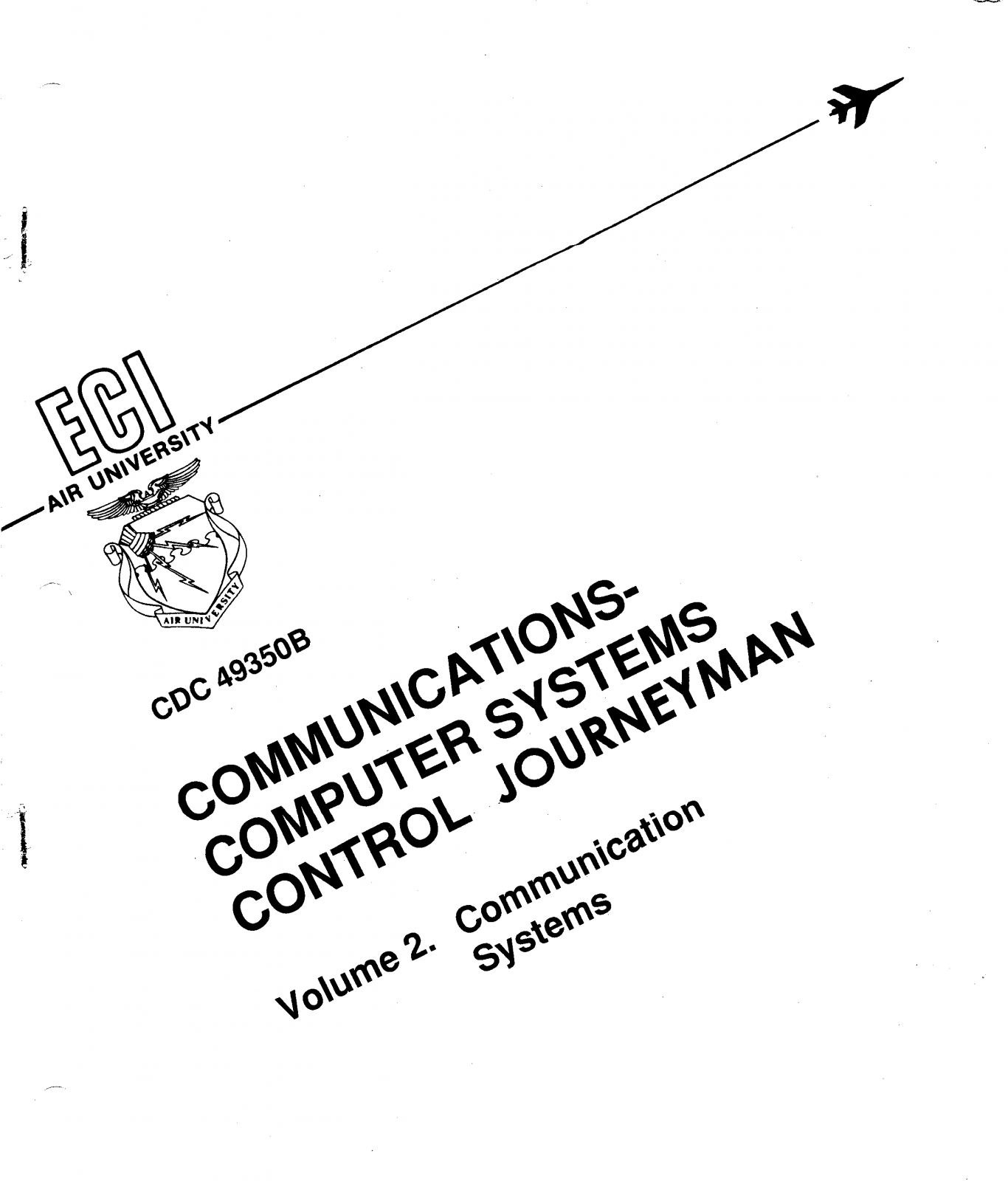
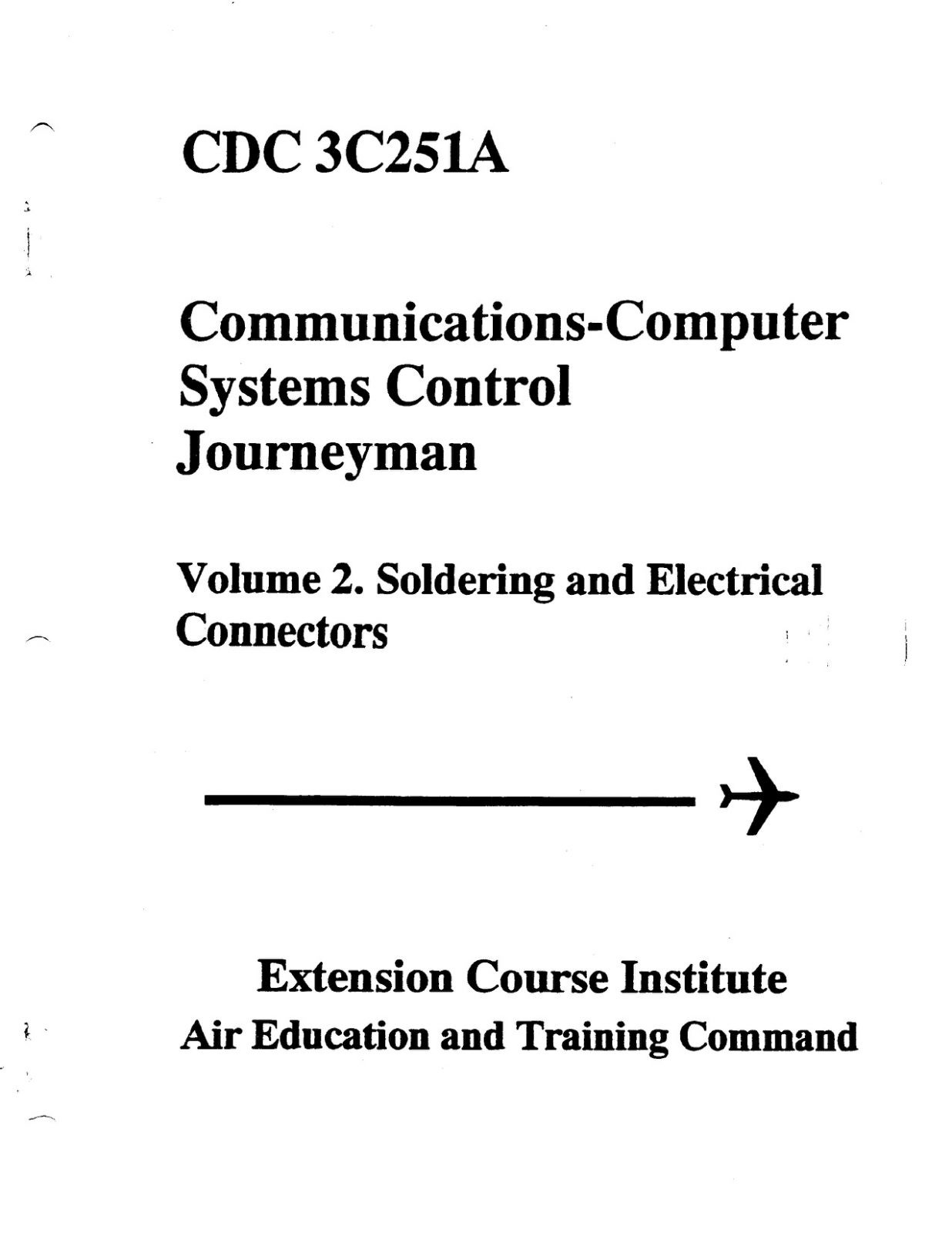
Air Force CDC Volume 2 Communications Systems Cover


📥 Click here to download the full text (PDF)

The 3C251 Career Development Course (CDC) Volume 2: Communications Systems was one of the cornerstone texts for Airmen training in the field of communications during their time in the United States Air Force. Every career field had its technical manuals, but for those of us who worked in the world of circuits, switches, and global networks, this volume was the roadmap. It provided a foundation that transformed raw recruits into skilled technicians, bridging the gap between theory in the classroom and the demands of real-world operations.

What made this course unique was its balance of detail and accessibility. On one hand, it introduced Airmen to highly technical concepts—everything from transmission paths and multiplexing to signal flow and system security. On the other, it broke these concepts down into lessons that could be absorbed even by someone encountering them for the first time. The structure of the CDC ensured that as you progressed through the chapters, you weren’t just memorizing acronyms and diagrams—you were building a mental model of how Air Force communication systems fit into the larger mission.

For many, the study of CDC Volume 2 wasn’t just about passing tests. It was about proving ourselves capable of mastering the technology that connected bases across the Pacific, the United States, and the globe. The Air Force couldn’t function without reliable communication systems, and that meant every line we studied, every diagram we memorized, had a direct impact on the mission. There was pride in being the invisible backbone of operations—the ones who ensured the right message got through at the right time, whether it was a routine report or a command at a critical moment.

I remember carrying this volume with me everywhere, its cover becoming scuffed from use, its pages filled with notes and highlights. It wasn’t unusual to see Airmen huddled in dorm lounges late at night, quizzing each other on multiplexing schemes, DSN protocols, or troubleshooting steps. There was a shared camaraderie in tackling the dense material together, knowing that our success in the field depended on mastering these lessons. For many of us, it was the first true test of our technical aptitude after basic training.

Beyond the academics, the CDC symbolized something larger. It was a reminder that while jets, tanks, and satellites captured headlines, none of them could function effectively without the quiet strength of communications. We weren’t always the most visible career field, but we were essential. This volume, dry and technical though it may have seemed at first glance, held within it the knowledge that kept the Air Force connected, efficient, and effective. In that sense, it wasn’t just a study guide—it was a piece of Air Force history, one that trained generation after generation of Airmen who carried forward the responsibility of maintaining the lines of communication.

Looking back, I realize that CDC Volume 2 didn’t just teach systems and circuits—it shaped the way I approached problem-solving. It taught me to break down complex challenges into manageable parts, to respect the importance of precision, and to never underestimate the value of reliability. These lessons stretched far beyond the classroom and the base. They became habits of mind that carried into deployments, civilian careers, and even everyday life.

Related Posts

Air Force 3 Level Tech Control Career Development Course Volume 1

Dave


Click here to download the full text
After basic training in the Air Force each airman will be sent off to a technical training school where they will learn their job. For the Technical Control 3C231 job series the technical training was at Keesler Air Force base in Biloxi, Mississippi. Here is volume 1. Transmission Media from that course.

Related Posts

Building More Than Wood: The Gazebo at the 335th Training Squadron

Dave


Gazebo built outside the 335th Training Squadron at Keesler AFB

While attending Air Force Technical Training at Keesler Air Force Base in Biloxi, Mississippi, I found myself with unexpected downtime between courses. Rather than waste the hours, a few fellow airmen and I decided to channel our energy into something productive: we built a gazebo. It wasn’t part of our formal training, nor was it an assignment handed down from leadership. It was something we wanted to do, a project that combined teamwork, pride, and a desire to leave a mark on the place where we were learning to shape our Air Force careers.

The gazebo stood just outside the 335th Training Squadron, located in the section of base we all knew as the “Triangle.” For those unfamiliar, the Triangle was a hub of student life at Keesler, a crossroads where airmen gathered between classes, studied, relaxed, and forged friendships that often outlasted their time in the service. The 335th Training Squadron carried the mascot “Da Bulls,” and while the name always brought a smile to our faces, the identity of the squadron carried a sense of pride. Every training unit in the Air Force has its own culture, and the 335th’s culture was about grit, humor, and camaraderie. That gazebo quickly became part of that story.

I still remember the sweat, the laughter, and the occasional frustration as we pieced it together. It wasn’t just about cutting wood and hammering nails—it was about cooperation, trust, and working side by side with people who were, at that point, strangers bound together by uniforms and oaths. Over time, the structure became more than lumber and shingles. It became a symbol, a place where airmen could sit in the shade on blistering Mississippi afternoons, swap stories, and catch their breath between the relentless pace of training.

Not long ago, I stumbled across an old newspaper clipping about the gazebo. Seeing it in print stirred up a rush of memories. The clipping wasn’t just about the structure—it captured a moment in time, a snapshot of how a small group of us decided to give back to the squadron in our own way. I even remember crossing paths with Major Carol St. Denis, the commander of the 335th Training Squadron at the time. She struck me as approachable and engaged, someone who cared not only about the mission but also about the people carrying it out. Running into her occasionally reminded me that leadership isn’t about distance; it’s about presence.

Looking back, that gazebo seems like a small thing compared to the larger scope of military operations. But in its own way, it was significant. It was proof that even in the rigid structure of military training, there was space for creativity, initiative, and leaving behind something tangible for the next wave of airmen. For me, it became a reminder that the Air Force wasn’t just about technical manuals and drills. It was about people, about moments, and about building something lasting—even if that “something” was a simple gazebo outside a squadron building.

Related Posts