Category: Technology

Japanese Pig

Dave

I was playing around with the application called Procreate and drew this silly Japanese pig that says, “Boo Boo” instead of “oink oink.” Procreate was a very nice and intuitive application that I would like to play around with more to get the feel for it.

thekumachan_Pig_Drawing-1

Related Posts

Where will we be in 8 years?

Dave

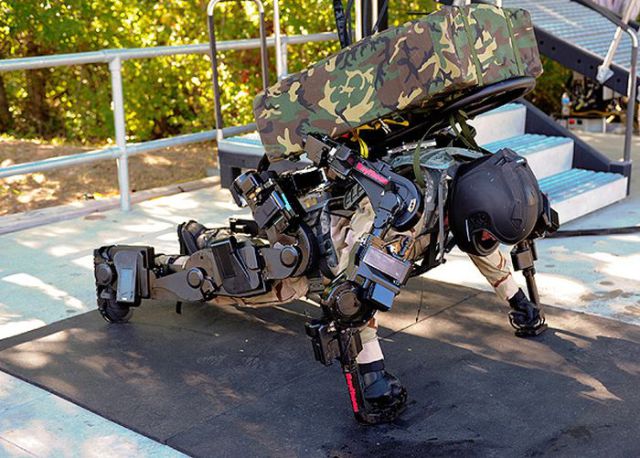
Ratheon XOS 2 is a second generation exoskeleton design for US army use. It allows the wearer to enhance his strength to carry heavy equipment much easier and for much longer.
70bb5d40-0f06-408e-9e2d-e8e39d267432

The world’s first virtual shopping center opened in Korea. All the products are just LCD screens that allow you to order the items by touching the screen. When you get to the counter, your items are already bagged and ready to go.
804de7ad-1724-4c1d-b327-d599b696f194

A cellphone you can bend as much as you like and it will still do everything a smart phone does.
efdb80e8-5dc7-4b46-bfc8-7adaddc32524

Your personal computer ring can play music, check your email, give you alerts and even allows you to browse or chat with others.
ZQwtMCf

This man is demonstrating the ability of his prosthetic eye, which has a camera installed in it.
4829edd8-ceb8-41ad-b9e7-be84f9dd6ab0

No longer using the camping stove just for cooking, a new line of camping stoves use the heat energy to power up lights and charge your phones or anything else you can charge by USB cable.
e82be301-873e-4a86-b369-8601adef680c

This trash can follows you around and calculates where to stand to catch your thrown garbage!
trashcan

This motion tracking table morphs its surface to mimic your movements, allowing you to control objects from the other side of the planet if you so choose.
motion

This windowed door turns opaque whenever you lock it.
opaque

This incredible app translates signs from video and in real time!
translate

The new ‘Google Fiber’ has started deploying, and will offer users an internet connection that is about 100 times faster than what they are currently using.
google_fiber

When did car panels start looking like this advanced?
dashboard

A stop sign using water to project the image.
water_image

An example of the new E-Ink in action. An ink that stay flat on the page and can be printed but still moves on the printer page.
e-ink

All of the functions these items that we used 20 years ago…Are now done by a single smartphone.
devices

New casts can be printed with a 3D printer, are lighter, more comfortable and just as strong.
3d_printed_cast

Bionic hands are now so advanced they can perform even delicate and complex movements.
bionic_hand

Related Posts

Homeland Security: Grocery Store

Dave

There was a bit of confusion at the Local Jay C grocery store this morning.

When I was ready to pay for my groceries, the cashier said, “Strip down, facing me.”
Making a mental note to complain to my congressman about Homeland Security running amok, I did just as she had instructed.

When the hysterical shrieking and alarms finally subsided, I found out that she was referring to my credit card.

I have been asked to shop elsewhere in the future.

Related Posts

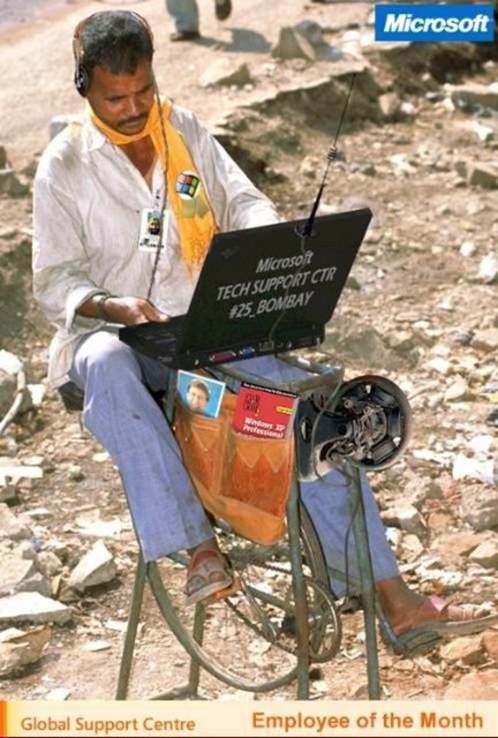
Microsoft Tech Support

Dave


Mujibar was trying to get a job in India.

The Personnel Manager said, ‘Mujibar, you have passed all the tests, except one. Unless you pass it, you cannot qualify for this job.’

Mujibar said, ‘I am ready.’
The manager said, ‘Make a sentence using the words Yellow, Pink, and Green.’

Mujibar said, ‘The telephone goes green, green, and I pink it up, and say, Yellow, this is Mujibar.’

Mujibar now works at a call centre. No doubt you have spoken to him ………………I know I have.

Related Posts

How The Internet Started

Dave

In ancient Israel, it came to pass that a trader by the name of Abraham Com did take unto himself a young wife by the name of Dot. And Dot Com was a comely woman, broad of shoulder and long of leg. Indeed, she was often called Amazon Dot Com.

And she said unto Abraham, her husband, “Why dost thou travel so far from town to town with thy goods when thou canst trade without ever leaving thy tent?”

And Abraham did look at her as though she were several saddle bags short of a camel load, but simply said, “How, dear?”

And Dot replied, “I will place drums in all the towns and drums in between to send messages saying what you have for sale, and they will reply telling you who hath the best price. And the sale can be made on the drums and delivery made by Uriah’s Pony Stable (UPS).”

Abraham thought long and decided he would let Dot have her way with the drums. And the drums rang out and were an immediate success. Abraham sold all the goods he had at the top price, without ever having to move from his tent. To prevent neighboring countries from overhearing what the drums were saying, Dot devised a system that only she and the drummers knew. It was known as Must Send Drum Over Sound (MSDOS), and she also developed a language to transmit ideas and pictures – Hebrew To The People (HTTP).

And the young men did take to Dot Com’s trading as doth the greedy horsefly take to camel dung. They were called Nomadic Ecclesiastical Rich Dominican Sybarites, or NERDS.

And lo, the land was so feverish with joy at the new riches and the deafening sound of drums that no one noticed that the real riches were going to that enterprising drum dealer, Brother William of Gates, who bought off every drum maker in the land. And indeed did insist on drums to be made that would work only with Brother Gates’ drumheads and drumsticks.

And Dot did say, “Oh, Abraham, what we have started is being taken over by others” And Abraham looked out over the Bay of Ezekiel, or eBay as it came to be known. He said, “We need a name that reflects what we are.”

And Dot replied, “Young Ambitious Hebrew Owner Operators.” “YAHOO,” said Abraham. And because it was Dot’s idea, they named it YAHOO Dot Com.

Abraham’s cousin, Joshua, being the young Gregarious Energetic Educated Kid (GEEK) that he was, soon started using Dot’s drums to locate things around the countryside. It soon became known as God’s Own Official Guide to Locating Everything (GOOGLE).

That is how it all began. And that’s the truth.

Related Posts

For Those Who Love Computers

Dave

At a computer expo (COMDEX), Bill Gates reportedly compared the computer industry with the auto industry and stated, ‘If Ford had kept up with technology like the computer industry has, we would all be driving $25 cars that got 1,000 miles to the gallon.’

In response to Bill’s comments, Ford issued a press release stating:

If Ford had developed technology like Microsoft, we would all be driving cars with the following characteristics:

1. For no reason whatsoever, your car would crash………Twice a day.

2. Every time they repainted the lines in the road, you would have to buy a new car.

3. Occasionally your car would die on the freeway for no reason. You would have to pull to the side of the road, close all of the windows, shut off the car, restart it, and reopen the windows before you could continue. For some reason you would simply accept this.

4. Occasionally, executing a maneuver such as a left turn would cause your car to shut down and refuse to restart, in which case you would have to reinstall the engine.

5. The oil, water temperature, and alternator warning lights would all be replaced by a single ‘This Car Has Performed An Illegal Operation’ warning light.

6. The airbag system would ask ‘Are you sure?’ before deploying.

7. Occasionally, for no reason whatsoever, your car would lock you out and refuse to let you in until you simultaneously lifted the door handle, turned the key and grabbed hold of the radio antenna.

8. Every time a new car was introduced car buyers would have to learn how to drive all over again because none of the controls would operate in the same manner as the old car.

9. You’d have to press the ‘Start’ button to turn the engine off.

10. Macintosh would make a car that was powered by the sun, was reliable, five times as fast and twice as easy to drive.

PS – I ‘d like to add that when all else fails, you could call ‘customer service’ in some foreign country and be instructed in some foreign language how to fix your car yourself!

Related Posts

International Toy Show – Tokyo, Japan

Dave

I went down to the International Toy Show at Tokyo Big Site in Odaiba. Tokyo Big Site is a building located in Odaiba in Tokyo, Japan. It is pretty cool because this was a huge event that had a ton of stuff. This would be like a COMIC-CON, but for toys and held in Tokyo. There was a ton of toys and some of them were really cool.

When I was leaving the International Toy Show I snapped a few extra photos of the Fuji Television building, Aqua City, and some ships in Tokyo bay. Here are those photos.

Related Posts

Hashing Algorithms and CRC Uses

Dave

[Abstract]
The purpose of this document is to provide a basic understanding of how hashing algorithms and cyclic redundancy checks can be used for evidence, authentication, and filtering. This document is intended for anybody looking to gain a basic understanding or knowledge of how forensic investigators find evidence to be used in a court of law.

[Content]
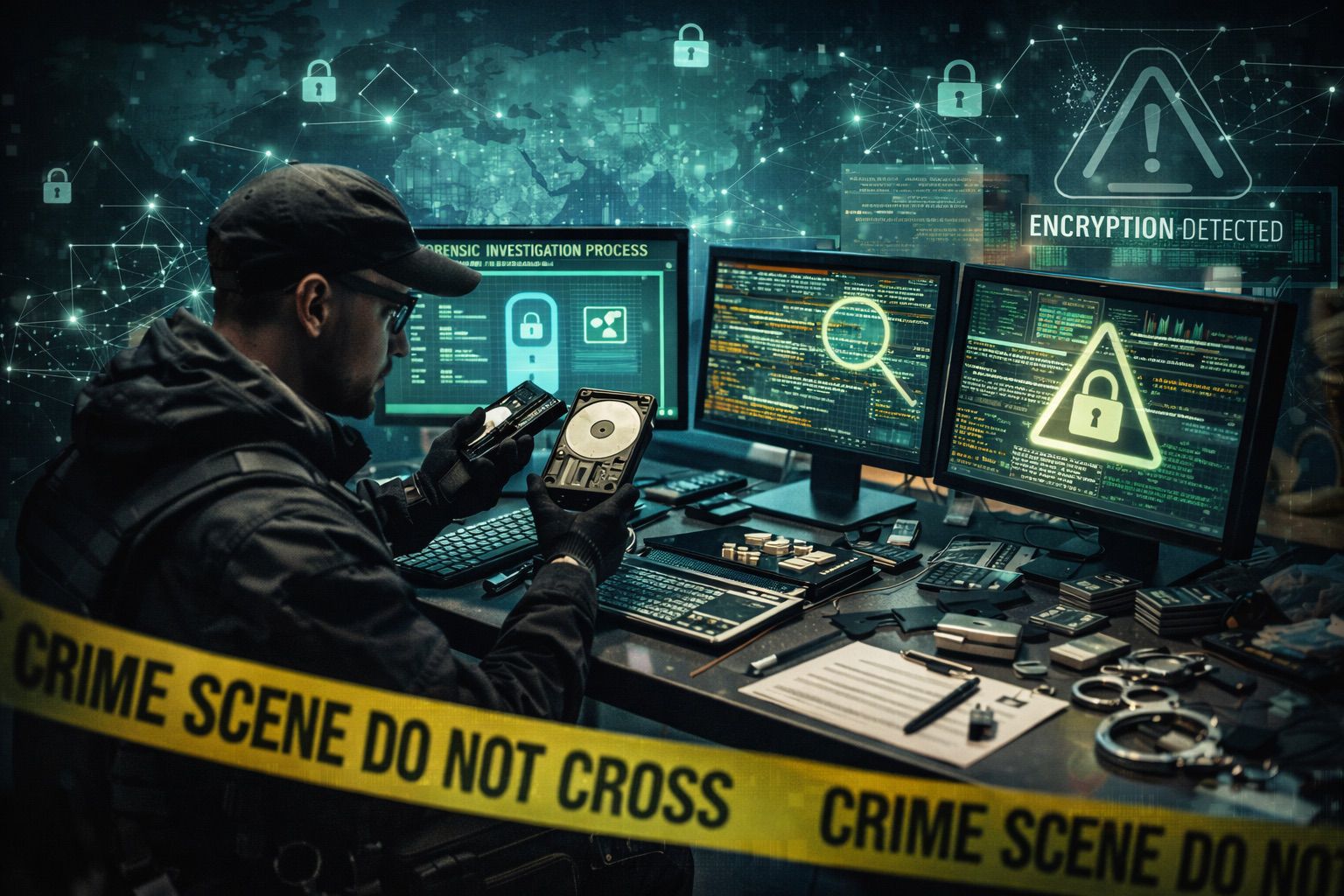
Forensic investigators need to use a variety of techniques, software applications, and thoroughly document every little detail about the systems they are gathering evidence from. Forensic investigators are responsible for collecting data and information from many types of volume storage devices, memory sources, and many types of removable storage devices. When forensic investigators are searching for evidence they may have to attempt to decrypt data that has been encrypted or put through a hashing algorithm. Forensic investigators may also have to remove valuable data off of a memory module by working with the cyclic redundancy checks. They may also have to use the hashing algorithms or cyclic redundancy checks (CRC) for authentication and filtering. To better understand how forensic investigators are able to use hashing algorithms and cyclic redundancy checks for authentication and filtering the next couple paragraphs will attempt to further explain.

There are four different hashes forensic investigators need to be familiar with in order to know which one is best suited for authentication and filtering (Hurlbut, 2009). One hashing method is called the cryptologic hash. The cryptologic hash is used for validating media by locating exact duplicate files and allowing forensic investigators to skip over files that are known to have no evidence contained within. The second hashing method is called the rolling hash. The rolling has is used to identify segment boundaries by using a reset point that is generated by the rolling hash engine in order to determine where different segments are created. Another hashing method is called the Context Triggered Piecewise Hash. This hashing method is based upon the traditional hashing method, however it also draws comparisons between documents that are similar, but are not exactly the same. The final method of hashing is called the fuzzy has method. The fuzzy has method is able to compare an active document to partial files that may have been recovered from unallocated space on a system volume. When forensic investigators are trying to determine the best hashing method to use for authentication and filtering it may be apparent that the traditional hashing method may be best suited for authenticating, however the context triggered piecewise hash may be more ideal for filtering through evidence that may not be identical copies of files. Due to the context triggered piecewise hashing being based off the traditional hashing method and having the flexibility of sorting through files that are not exact duplicates of files, this method may be the most ideal method for authenticating and filtering through files while looking for valuable evidence.

A cyclic redundancy check is a mathematical check on data to ensure it is an exact duplicate of data and has not been altered in anyway. By performing a CRC on data a forensic investigator is able to ensure they have an exact duplicate of the suspect files so they can work with the duplicate without contaminating the original evidence. A CRC validates the data has not been altered in anyway and therefore the data has been authenticated with the CRC (Volonino, Anzaldua, and Godwin, 2007). After forensic investigators have performed the CRC on the data and created identical duplicate files, they are then able to filter through the duplicated data so that the original data is not tampered in anyway. There are a number of software applications that forensic investigators may have to use to filter through data and some of the software applications may even use one of the previously mentioned hashing methods. Cyclic redundancy checks on data allows forensic investigators to authenticate data so they have exact duplicates of files to work with when they are trying to filter through data and look for valuable evidence.

In conclusion, forensic investigators may have to use a series of software suites to gather valuable evidence to be used against a suspect. Forensic investigators can use cyclic redundancy checks to authenticate data, which allows the investigator to create exact duplicates of the suspect files so that the investigator doesn’t tamper the original evidence. Once the data has been authenticated with the cyclic redundancy check, forensic investigators can then use different hashing algorithms to filter through the data in order to look for critical evidence to be used against a suspect. One hashing algorithm that may best suite the needs of a forensic investigator is the context triggered piecewise hashing method because this method allows the investigator to compare active files against fragments of files or files that are not exact duplicates, but still contain valuable evidence.

References
1. Hurlbut, Dustin (2009, January 9th). Fuzzy Hashing for Digital Forensic Investigators. AccessData, Retrieved April 11th, 2009, from http://www.accessdata.com/downloads/media/Fuzzy_Hashing_for_Investigators.pdf
2. Volonino, Anzaldua, and Godwin, (2007, August 23rd). Computer Forensics: Principles and Practices. Retrieved April 12, 2009, from Pearson Education Computer Forensics: Principles and Practices Web site:

Related Posts

Hostile Code and Forensic Investigators

Dave

[Abstract]
The purpose of this document is to identify five different examples of hostile codes and how they impact information systems. Also included within this document is an explanation of how forensic investigators should find the sources of hostile code. This document is intended for anybody looking to gain a basic knowledge or understanding of hostile codes and how forensic investigators identify hostile codes.

[Content]
Hostile code can be defined as malicious or mal-intended software that functions on a computer system without authorization. There are different types of hostile code with different functions, however the means of which the hostile code arrives onto a computer system is the same. Some of the methods in which malicious software can gain access to a computer system are by system misconfigurations, compromised system identities, network infrastructure vulnerabilities, or even by users unknowingly installing the software themselves (James Madison University, 2009).

Two types of hostile code found in the form of viruses or worms. Viruses are hostile code because they replicate on a system by infecting files, master boot records (as found in hard drives), and volume boot records (as found in removable media). Viruses can be Trojan horses as they can be hidden within a program or a file. Worms are similar to viruses, however they self replicate and spread throughout systems. What makes worms different from viruses is that they do not need to attach themselves onto a program. Worms are essentially self-contained and they keep making copies of themselves. Worms and viruses are also different because viruses infect files and corrupt the files, whereas worms do not attempt to modify system files, but rather use valuable network bandwidth as they spread. Viruses can be contained or removed by using antivirus software. Ensuring a system is patched with the latest software patches to minimize vulnerabilities on the system can prevent Worms. Forensic investigators can get to the source of viruses or worms by reverse engineering the code.

Another type of hostile code is a type of malware or spyware called a browser hijacker. Browser hijackers are not as notorious as viruses or worms, but rather more of annoyances. Browser hijackers work by modifying browser settings such as setting the default homepage to something other than what was previously set or intended. They also have been known to change error pages or even search pages. Browser hijackers are used to drive hits to an Internet address or website. With many recent browser hijackers third-party software can be used to return the settings to normal or in many cases a simple reboot of the system will return the settings back to normal. Forensic investigators can find the source of browser hijackers by using third-party applications that are designed to deal with this particular form of hostile code.

Logic bombs, otherwise known as time bombs, are a form of hostile code. Logic bombs are malicious in nature and a disgruntled employee can insert them into a piece of software so that if they got fired or release this logic bomb would go off and perform its actions. Logic bombs are triggered by an event, such as a specific time or date, where they can perform a set of actions, like deleting files on a system. Logic bombs are easier for forensic investigators to find the root of the issue because they function based on a date or time, so forensic investigators can turn back the clock on a system in order to return the system back to its original state before looking for the code.

Keystroke loggers are a form of hostile code as their intentions are malicious in nature. Keystroke loggers are designed to capture the keystrokes that a user types into a system. The captured keystrokes are then sent over the network or the Internet in order to gain access to systems or obtain passwords. Keystroke loggers can serve a positive purpose for the police, FBI, CIA, or other government agencies looking to solve crimes, however their intended purposes for being developed was malicious in nature (New Zealand Police, 2006). Depending on the type of keystroke logger, forensic investigators can easily find the source by actively searching the system or by sniffing traffic being sent by the system in order to find the source.

In conclusion, there are many different types of hostile code that can be found on the Internet. Each type of code may have a different function, as can be identified between viruses, worms, browser hijackers, logic bombs, and even keystroke loggers. All of these are malicious in nature and are intended to perform actions other than what the system’s user wants, however most of the different types of code is preventable and the source of the problem can be found by forensic investigators.

References
1. (2009, March 18th). How They Break In. Retrieved April 5, 2009, from James Madison University Web site: http://www.jmu.edu/computing/security/info/howthe.shtml
2. (2006, April 9th). Keystroke loggers. Retrieved April 5, 2009, from New Zealand Police Web site: [URL Removed Broken link]

Related Posts

Areas Digital Forensic Investigators Find Evidence

Dave

[Abstract]
The purpose of this document is to provide a basic understanding of computer forensics by identifying five areas in computers and computer applications a forensic investigator can look for digital evidence. Also included within this document are three types of criminal investigations that can utilize the services of computer forensic investigators. Lastly, a description of these three types of criminal investigations can benefit from computer forensics. This document is intended for anybody looking to gain a basic knowledge or understanding of computer forensics and criminal investigations.

[Content]
With as much of technology that is in use today there may be a time that criminal investigative services may be required to collect data as evidence for criminal prosecution. The criminal investigative services may choose to use computer forensic investigators to gather the evidence to be used for prosecution. In order for a forensics investigator to be proficient at their job, they need to know where they can find the evidence they are looking for. The evidence forensic investigators look for is for the purpose of criminal investigation. There are different types of criminal investigations and there are different ways each of these investigations can benefit from forensic investigators.

When digital investigators are looking for evidence there are different areas where they can look. One of the simplest and most obvious place for investigators to look for evidence is on floppy diskettes, CD ROMs, DVD ROMS, Thumb drives, and any other type of removable media (Strickland, 2009). By looking on storage media criminal investigators can get an idea of what type of data is being stored or loaded onto the system. This can prove to be useful in the event that third-party applications are being used to circumvent investigations. By finding an application on a removable storage device, investigators can gather information that may be useful for returning a system back to its original condition when the crime was being committed. It is also possible that storage devices can provide clues or evidence against the suspects that are being investigated.

System storage devices are other places to look for digital evidence. System hard drives can storage mass amounts of data that can be used as evidence, however these mass storage devices may take longer to find the evidence depending on how many different types of applications were used, if anti-forensic software tools were used, and if encryption software was used. System and application log files, as well as, browser history and cache files, e-mails, digital photographs, and global positioning system logs can hold important pieces of data which can identify how the system was being used, what it was being used for, what types of crimes were being committed, and they can also tell an investigator about some of the software applications that were being used on the system (Kennedy, 2006). When a forensic investigator searches a hard drive they may have to use third-party software to search through Meta data that identifies what types of files reside on the system. Meta data is information that is used by the computer to, not only identify what type of file is on the computer, but also what files link to other files. Additional forensic tools may need to be used on a system storage device to look for evidence that is embedded within applications or even hidden. System storage devices can hold critical evidence, however depending on what software was used on the system, the recovery of the evidence can take long periods of time.

Computer memory is a place where forensic investigators can find chunks of data that was stored when the system was being used. As systems use more and more random access memory, this type of memory is used to store data for faster access during the system’s operation. Since RAM is used to store information when the system is being used, it is clearly a good location to find evidence. Although, RAM is used by the computer it is unlikely that the type of information that is found to be stored in RAM is going to be readable by humans, so forensic applications will most likely need to be used in order to find the critical evidence.

Documentation that has been printed out from a computer system is considered original documentation and is permissible as digital evidence. Under the best evidence rule, many judges allow digital printouts to be used as evidence. Digital printouts are considered original forms of work, as it is unique to the printer that was used when the crime was committed. Some printers even are sophisticated enough to have memory built into them and the memory found in the printer may contain digital evidence for forensic investigators.

There are many different types of criminal investigations, however some types of criminal investigations that can greatly benefit from digital forensics are investigations that involve crimes of: sex, hate, theft, narcotics, wrongfully accused, and even kidnapping. For crimes that involve sex, to include sex with minors, many times chat application log files can hold much evidence against the accused. For a crime of theft a spreadsheet that holds information like, items, serial numbers, locations, and other information can prove to be a great asset. Crimes that involve narcotics can benefit from possible chat log information, but more likely e-mail traffic can prove to be a greater asset for evidence. No matter which criminal investigation is being conducted the investigation can greatly benefit from the use of digital forensics.

In conclusion, there are many types of criminal investigations that can benefit from the use of forensic investigators. Many of the criminal investigations include crimes of sex, narcotics, hate, wrongfully accused, and kidnapping. When digital forensic investigators are being used to gather digital evidence for a criminal case some of the locations where evidence can be found include: printouts, removable storage devices, internal storage devices, application logs, browser history files, browser cache files, e-mail, random access memory, and possibly even printer memory. No matter what type of criminal offense was committed, as long as a computer was utilized to commit the crime, the different types of criminal investigations can benefit from digital investigators gathering evidence to prove the crime was committed.

References
1. Strickland, Jonathan (2009). How Computer Forensics Works. Retrieved March 29, 2009, from Howstuffworks “How Computer Forensics Works” Web site: http://computer.howstuffworks.com/computer-forensic.htm/printable
2. Kennedy, Ian (2006, August). Looking for foul play – digital forensics Part 2. Retrieved March 29, 2009, from Looking for foul play – digital forensics Part 2 Web site: http://www.bcs.org/server.php?show=ConWebDoc.6231

Related Posts

Challenges Forensic Investigators Face

Dave

[Abstract]
The purpose of this document is to provide a basic understanding of computer forensics by identifying five technology-related challenges that digital forensics investigators are faced with. Also included within this document are solutions to resolve each of the challenges. This document is intended for anybody looking to gain a basic knowledge or understanding of computer forensics and challenges investigators face.

[Content]
With the use of technology today there may be a time that criminal investigative services may be required in order to collect data as evidence for criminal prosecution. The criminal investigative services will most likely use computer forensic investigators to gather the evidence to be used. Even though computer forensic investigators may be proficient at their jobs there are still challenges that they are faced with in order to perform their job efficiently and effectively. Even though there are a number of challenges there are also solutions or methods that can aid investigators to gather the evidence they need.

One major challenge that may be encountered is the credibility and proficiency of the technician gathering the evidence. Technicians need to stay up to date on the latest operating systems, data collection procedures, and any additional software that may be utilized in the collection process. In the event a technician is not current on a particular software application or operating system, training courses or certifications may need to be obtained in order to maintain a level of proficiency according to policy and procedures. Technicians also need to gather evidence in accordance with any written policies or standard operating procedures. By following company guidelines, technicians minimize the ability to be discredited.

Standardization of the procedures for gathering evidence, handling evidence, transporting evidence, access to evidence, and even documentation of evidence poses a real challenge for forensic investigators. Prior to embarking on any incident response, technicians need to be current on any company standardization practices to ensure everything from obtaining evidence down to the documentation of evidence is being handled and documented consistently according to company policies. By following standardization practices a technician minimizes the ability to have evidence withdrawn from a case because it is the forensic investigators job to gather the evidence in a proper manner to be used against a defendant in a court of law.
Proper gathering of evidence can be a major challenge for forensic investigators. Forensic investigators need to be thorough in the gathering of evidence and ensure they do not leave anything behind (Kruse & Heiser, 2002). They also need to ensure they mark or tag any evidence as it leaves a crime scene so that it does not get lost in transit. A method for gathering and tagging evidence is by creating a list of every piece of evidence before it leaves the crime scene, ensure everything at the crime scene is gathered, and then upon arrival of where the evidence will be stored validate every piece of evidence was received. The evidence list may need to be verified by more than one person in order to maintain absolute integrity of the evidence that was gathered. By properly marking any and all evidence at a crime scene and then verifying all of the evidence this ensures all evidence is properly gathered and received just as it was when it was at the crime scene so that further investigations can take place on the evidence that was gathered.

Another major challenge that can be faced is the mishandling of evidence. When evidence is being gathered it needs to be treated as evidence and should be secured at all times. Only authorized personnel should have access to the evidence to prevent the possibility of tainting the evidence. By maintaining a written record or log of who is in current possession of the evidence, how the evidence was collected, and from what piece of equipment or hardware the evidence was collected from will ensure the evidence is being handled in accordance to policies, procedures, and with best practices in mind. This will ensure the evidence was handled in the correct manner, by the correct people, and in accordance with any laws.

Lastly the use of anti-forensic tools or encryption can pose a major challenge for forensic investigators. Anti-forensic tools can change header information of files found on a computer making files appear to be a different type of file which could cause a forensic investigator overlook critical evidence (Strickland, 2009). Encryption can also be a major challenge to forensic investigators because encryption uses a key to hide or conceal information on a computer system or during transit of information. It is a forensic investigator’s job to present the evidence gathered in the state it was when the crime was being performed. In order to return the evidence back to the state it was previously in a forensic investigator many need to use software applications or hash checking applications to do so.

In conclusion, due to the relatively new age of computer forensic investigative services there are many challenges that can be faced by a forensic investigator. By an investigator maintaining a current, up-to-date, technical proficiency in conjunction with following all company policies, procedures, and standardization practices an investigator greatly increases their ability to gather evidence in a proper fashion. Investigators also need to thoroughly document and handle evidence in a proper manner to include gathering and tagging all evidence so that a proper investigation can be conducted.

References
1. Kruse, W & Heiser, J. (2002). Computer Forensics Incident Response Essentials. Indianapolis, IN: Lucent Technologies
2. Strickland, Jonathan (2009). How Computer Forensics Works. Retrieved March 29, 2009, from Howstuffworks “How Computer Forensics Works” Web site: http://computer.howstuffworks.com/computer-forensic.htm/printable

Related Posts

Another Thawte Notary 10 Points

Dave

Today I took a train for 1 hour to a little place called Tsutsujigaoka. This is in Tokyo, but it is probably a part of Tokyo that I would not normally go to. When I got there I was met by a nice German guy who works for a bank. We went to a coffee shop, even though I can’t stand coffee, and we filled out all the necessary paperwork and started talking a bit about security and what each of us does. It was really cool to meet a guy who has very similar interests and it is neat to see how the financial industry deals with security. We talked for about 10-15 minutes and then I ventured my way back home, taking another hour to get back. Unfortunately I did not take any photos on this trip.

Related Posts

Thawte Notary 10 Points

Dave

Today I took the train for about an hour and stopped at Kawasaki to meet a Japanese guy who worked at IBM. We filled out the necessary forms right there in the train station and then I had to fight rush hour traffic for an hour to get back home. That was my first time to Kawasaki and it was neat to meet another person with the same interests, but our conversation did not get too deep because he didn’t speak English and my Japanese speaking abilities doesn’t really get into technical words. It was an experience and now I’ve only got 90 more points to go in order to become a notary myself. Along the train ride I passed a place Shitte, I can’t say that I would want to live in Shitte town. Below is a photo of that. The second photo is inside Kawasaki train station. As you can see, it was pretty busy.

Related Posts