Category: Technology

Thawte Notary

Dave

I have recently embarked on a new venture and it is to obtain a Thawte web of trust notary status. In order to obtain this status I have to accumulate 100 points by meeting with different people face to face and filling out paperwork that verifies we met face to face and showing my identification to prove I am who I say I am. The notary who is validating my identity must maintain a record that we have met in person and protect this information for up to 5 years. Different notaries are able to give different amounts of points based on how many people they have notarized with a maximum of 35 points. This venture will give me my name on my digital certificate as well as notary status so that I will be able to assist others with getting their names on their digital certificates too. It may not be too impressive to most people, however having private data being protected when transmitted via electronic mail usually makes me feel a little bit safer. At first I didn’t think this was going to be very much fun at all, but once I met a couple different people, it is actually pretty fun to go places I probably normally would not go and meeting other people with the same interests as me. I will keep a log and track each place I go on upcoming posts.

Related Posts

Wife 1.0

Dave

Dear Tech Support:

Last year I upgraded from Girlfriend 7.0 to Wife 1.0. I soon noticed that the new program began unexpected child processing that took up a lot of space and valuable resources. In addition, Wife 1.0 installed itself into all other programs and now monitors all other system activity, such as Poker Night 10.3, Football 5.0, Hunting and Fishing 7.5, and Racing 3.6. I can’t seem to keep Wife 1.0 in the background while attempting to run my favorite applications. I’m thinking about going back to Girlfriend 7.0, but the uninstall doesn’t work on Wife 1.0. Please help!

Thanks,

A Troubled User.

______________________________________

REPLY:
Dear Troubled User:

This is a very common problem that men complain about.

Many people upgrade from Girlfriend 7.0 to Wife 1.0, thinking that it is just a Utilities and Entertainment program. Wife 1.0 is an OPERATING SYSTEM and is designed by its Creator to run EVERYTHING!!! It is also impossible to delete Wife 1.0 and to return to Girlfriend 7.0. It is impossible to uninstall, or purge the program files from the system once Installed!

You cannot go back to Girlfriend 7.0 because Wife 1.0 is designed to not allow this. Look in your Wife 1.0 manual under Warnings-Alimony-Child Support. I recommend that you keep Wife1.0 and work on improving the situation. I suggest installing the background application “Yes Dear” to alleviate software augmentation.

The best course of action is to enter the command C:\APOLOGIZE because ultimately you will have to give the APOLOGIZE command before the system will return to normal anyway. Wife 1.0 is a great program, but it tends to be very high maintenance. Wife 1.0 comes with several support programs, such as Clean and Sweep 3.0, Cook It 1.5 and Do Bills 4.2.

However, be very careful how you use these programs. Improper use will cause the system to launch the program Nag Nag 9.5. Once this happens, the only way to improve the performance of Wife 1.0 is to purchase additional software. I recommend Flowers 2.1 and Diamonds 5.0! WARNING!!! DO NOT, under any circumstances, install Secretary With Short Skirt 3.3. This application is not supported by Wife 1.0 and will cause irreversible damage to the operating system.

Best of luck,
Tech Support

Related Posts

Financial Institutions Handle Privacy

Dave

[Abstract]
The purpose of this document is to analyze why many financial institutions assess privacy as a compliance issue as opposed to a risk management issue. Included within this document are two different current regulations to help consumers protect their privacy. Also included within this document is an example of the primary causes of network threats to an individual’s privacy. An assessment of organizations or governments should do to prevent these threats is included. Finally, a difficult single privacy threat is identified and a proposal to how organizations can counter it.

[Content]
Many financial institutions view safeguarding personal information as a compliance issue as opposed to a risk management issue. Government regulations, like the Gramm-Leach-Bliley Act, dictate how financial institutions safeguard consumer’s private information (Board of Governors of the Federal Reserve System, 2002). Many federal regulations do not supersede state laws, but rather work in conjunction with them. Financial institutions have strict directives from both state and federal levels of government that they have to adhere to when handing consumer’s nonpublic information. The structured human activities that follow how uncertainty towards a threat is managed are exactly what risk management is. Risk management is a slower process that may require more personnel or resources. In the business world time is money so many companies may take a government compliance approach as opposed to a proactive risk management approach.

Two different active regulations that are currently being used to ensure personal non-public information is being safeguarded are the Gramm-Leach-Bliley Act and the Privacy Act of 1974. The Gramm-Leach-Bliley Act is meant to ensure that financial institutions do not release consumer’s personal information without notifying the consumer first. The Gramm-Leach-Bliley Act also governs how financial institutions’ handle consumer’s information and prevents financial institutions from reusing or redisplaying consumer’s information to a 3rd party (Board of Governors of the Federal Reserve System, 2002). The Privacy Act of 1974 states that no personal information in part or in whole will be released to any persons or organizations without written consent. There is an exception to the Privacy Act that states that the consensus bureau can use personal information for statistical uses, routine government uses within an agency, law enforcement purposes, and other administrative purposes are all allowable uses of personal information without consent (United States Department of Justice, 2003). The Gramm-Leach-Bliley Act and the Privacy Act of 1974 have been put in place to protect people or consumers from having their information disseminated intentionally or unintentionally by unauthorized people or organizations.

The primary cause of network threats, as they pertain to privacy, ironically does not come from the network, but rather is a human error from improper configuration of devices. A major privacy concern for users on any network is ensuring that only authorized personnel have access to private or personal information. Improper configuration of a user account or a group account can unintentionally give unauthorized users access to personal information. Improperly configured file permissions can give unauthorized access to private information. Improper configuration of networking devices, both wired or wireless, can allow unauthorized hosts on a network in which they can gain access to nonpublic information. Firewalls that are not properly configured can allow unauthorized access to network resources and information from threats that reside on different networks. System and network administrators making improper configurations of hosts or devices on a network poses a primary cause of network threats.

Organizations and governments can ensure the primary cause of network threats are minimized by ensuring accountability. In order to ensure accountability organizations or governments need to first put a policy in place to ensure everybody is aware that they are responsible for their actions and misconfigurations are not acceptable. Next organizations and governments should ensure all necessary personnel are properly trained. Organizations or governments can ensure accountability by withholding access to computer system log files and periodically reviewing the files to ensure all policies and procedures are being met. Log files should also be reviewed for any and all networking devices like routers or switches. Finally when an incident is found and traced back to an individual, that individual needs to be held accountable by either being terminated or handed over to the proper authorities based upon the severity of the incident.

One of the most difficult privacy threats that exists, is how others who are not in your control handle your private information, however there are ways to minimize the risk. Working with only trusted people, organizations, or governments ensures that private information is going to be handled in the correct manner. In the event that an e-mail that contains private information is sent to a 3rd party, encrypting or digitally signing the e-mail ensures that only authorized access is granted to that information. Maintaining physical control of any computers or digital media ensures no unauthorized access is allowed. In the event that physical control cannot be maintained, digitally encrypting private information on that computer or digital media can help ensure only authorized access is allowed to that information. Something as simple as securing any documentation, media, or computers can keep private data out of the reach of 3rd party people, like janitors, who may have access to an office, but do not need access to the information. By working with trusted sources, securing any and all private data, and ensuring encryption is being used on physical or electronic media are ways that companies or governments can counter privacy threats.

References
1. (2002, June). Small-Entity Compliance Guide. Regulation P: Privacy of Consumer Financial Information, Retrieved January 7th, 2008, from http://www.federalreserve.gov/regulations/cg/reg_p_cg.pdf
2. (2003, September 26th). THE PRIVACY ACT OF 1974, 5 U.S.C. ¬ß 552a — As Amended. Retrieved January 7, 2009, from THE PRIVACY ACT OF 1974, 5 U.S.C. ¬ß 552a — As Amended Web site: [URL Removed Broken link]

Related Posts

iPod Touch

Dave

Today I received my brand new iPod touch. This is the 1st Apple iPod I actually bought. This version of the iPod touch is the 16GB model. It is pretty cool. I’m still learning and playing with the settings and syncing, but it definitely won’t take me long to figure everything out. The strange thing about this purchase was that I bought it on January 15th, 2008 and this product was shipped on the following path, in descending order.

Jan 21, 2008 4:50 PM Delivered
9:44 AM On FedEx vehicle for delivery HONOLULU, HI
9:40 AM At local FedEx facility HONOLULU, HI
Jan 19, 2008 8:18 PM At dest sort facility HONOLULU, HI
5:47 PM Departed FedEx location OAKLAND, CA
3:27 AM Arrived at FedEx location OAKLAND, CA
2:10 AM Departed FedEx location LOS ANGELES, CA
Jan 18, 2008 4:23 PM Departed FedEx location INDIANAPOLIS, IN
2:50 AM In transit INDIANAPOLIS, IN
7:47 AM Int’l shipment release INDIANAPOLIS, IN
1:28 AM Arrived at FedEx location INDIANAPOLIS, IN
Jan 17, 2008 2:32 PM Departed FedEx location ANCHORAGE, AK
12:33 PM Arrived at FedEx location ANCHORAGE, AK
Jan 18, 2008 3:01 AM Package data transmitted to FedEx
Jan 17, 2008 9:24 PM In transit SHANGHAI CN
11:27 AM Left origin KUNSHAN CN
11:14 AM Picked up KUNSHAN CN

Now talk about taking quite a journey just to get here. It was well worth the wait. This product is totally cool. Got to run for now, I have the urge to play with it some more.

Related Posts

Safari Speedup

Dave

Did you know that in OS X if you want Safari to load faster, there are a couple tricks you can do in order for Safari to speed up? The first thing you should do is empty your cache. You can do this by going to your preferences, choose Safari and then click on empty cache. The next thing you should do is clear your history. This can be accomplished by clicking on history in your menu selection and then choose the option at the bottom which is, clear history. One other thing you can do to speed up Safari is by turning off the auto fill option. In order to do this you go to preferences, and then select the auto fill pane. Once you are there you can ensure the user names and passwords or other forms, is unchecked. By doing these little steps you are ensuring Safari isnt storing data that you dont need it to and will speed up the loading process.

Reference: March 2006, Macworld Magazine page 52.

Related Posts

Home Wireless Network Users Need to Properly Secure Their Networks From Threats

Dave

In recent years, technology has been rapidly developing. This development introduced us to the Internet, commercial networks, and even home networks to move towards using wireless networks. In America, home networks are the vast majority of users on the Internet. Since home networks are the majority of users on the Internet, you will learn about some of the threats lurking both on the Internet and even in your own neighborhoods. You will also learn about how home wireless network users can properly secure their networks from these threats.
‘, ‘The most feared threats that can be found on the Internet are hackers. Hackers can be broken down into two major categories. The first type of hacker, known as a ?White Hat Hacker?‚Äö√†√∂¬¨¬Æ, is a person who uses their skill or ability to morally and legally pursue their interest. These types of hackers will typically disassemble whatever they are trying to learn about, to see how it works. These hackers have been associated with a white hat because their intentions are not bad in nature. These hackers are surprisingly helpful to many commercial companies. One major way they help commercial companies, is by them finding vulnerability by pushing a computer system to its limits and then alerting the vendor. The most feared hacker is the, ?Black Hat Hackers.?‚Äö√†√∂¬¨¬Æ These hackers have only malicious intentions. In many cases, black hat hackers will try to break into a computer network to steal valuable information, such as credit card data. They will use this data for their own personal gain. Black hat hackers are destructive to applications, computer hardware, and computer networks.

A computer virus is a self-replicating program that spreads by inserting copies of itself into other executable code or documents. A computer virus behaves in a way similar to a biological virus, which spreads by inserting itself into living cells and then becoming part of that cell. Extending the analogy, the insertion of the virus into a program is termed infection, and the infected file is called a host. Much as a biological virus can spread throughout numerous hosts, a computer virus can spread throughout millions of hosts on the Internet within a matter of hours.

A computer worm can be defined as a self-replication computer program. A computer worm is much like a virus, however when a virus attaches itself to another program it becomes part of that program. A worm is self-contained and does not need to be part of another program to propagate itself. The name ?worm? came from two researchers working for Xerox. They were doing a paper on experiments in distributed computing, when they noticed similarities between their software and a program from a 1970s novel written by John Brunner.

There are many different types of network security methods used, when it comes to protecting a network. One of the most successful methods used to secure a network is the boundary protection method. This method takes different computing mechanisms and puts them between what they are trying to protect and where the threat lies. Some of the mechanisms used are firewalls, proxy servers, anti-virus applications, intrusion detection systems and even virtual private networks. Each one of these mechanisms functions at a different networking layer and provides more of an obstacle for the threat to overcome. These obstacles deter threats from attempting to intrude into their networks. A hacker is less likely to penetrate a well-secured network; especially when there is other much less secure networks readily available, thus providing network security.

Whether you are using a home wireless router from any of a variety of vendors, the process to securing your wireless network is still the same. First you want to start at your access point closest to the Internet, for home users we will say this point is either your cable modem or DSL modem. The first thing you need to do is implement some sort of security. You can choose between your router performing a network address translation and port scanning security measure, installing a hardware firewall, or proxy server. Since most home users do not want to spend the money on additional security devices, some companies such as Linksys (a subsidiary of Cisco Networking Systems) have built the technology into their wireless routers. The first thing you should do when initially configuring your home wireless network router, is change the factory default administrative password. Once you have changed the administrative password, you want to configure the router to support only the amount of hosts you are going to have on your wireless network. The factory default setting supports up to 255 users. Unless you want 255 users within your wireless routers range to connect to your network, it is best to enable your router to support only the number of hosts you will be connecting. After you have changed both of those settings, your next step is to enable the wired equivalent privacy protocol (WEP), or the WI-FI protocol, depending on what your router supports. Please refer to your owner?s manual for more detail of what your wireless router supports. Both WEP and WI-FI work by encrypting the data that is being transmitted and received between your computer and the wireless router. These typically are either 64 bit or 128 bit encryption standards. The next step to securing your wireless router is to perform MAC address filtering, provided your router supports it. If your router supports MAC address filtering, you first need to log into your computer and then find out what your MAC address is on your wireless network card. Once you have your MAC address, input that into your router and filter it so only hosts with this MAC address can access your network. The next step is to check your routers manual to see if your router actually does perform network address translation. If it does, there should be nothing you need to configure for this. As we are getting closer to completing the configuration of your wireless router, there are still a few precautionary steps you should take to secure your network a little more. One of the final steps is to change your internal network address from the factory default setting to another network address. By default, most home wireless network routers us a non-routable IP address range. This non-routable network address is either 10.10.1.1 or 192.168.1.1. To learn more about how to properly subnet your network, please refer to your owner?s manual. For this scenario we are going to say you changed your network address from 192.168.1.1 to 192.168.2.1. As we know from before, your router is only set up to allow the exact number of hosts you are connecting to your network. Finally the last thing you should check within your router is to see if it has any network ports open by default on the router. Some routers have to be manually turned off and other routers have it built in to block external connections to your router, unless the connection is initiated from the internal side.

Now that your router is configured correctly, we should consider the worse case scenario of your data being lost or compromised. Some of the methods to recovering lost data are by using internal programs to the operating system or 3rd party programs. Within Microsoft Windows there is a backup utility to perform backups and recovery. Another method is to configure your computer the way you want it, make a ghost image by using Symantec?s Norton System Ghost, and then putting that image on a media that is not on your local computer. That way, if your system gets corrupted you can always restore it to the last known good state. You can always backup your system files to another computer or network attached storage device. Finally, you can use a 3rd party program such as Veritas to backup your computer state files to a tape drive. This program also allows you to restore from the tape media.

You have seen some of the threats that lurk on the Internet and simple ways to protect yours home wireless network from these threats. Congratulations, now you can consider your home wireless network and personal data secure.

Related Posts

Configure Your Apple Computer to Connect to Your Wireless Linksys Router

Dave

If you have an Apple computer using an airport extreme card and want to connect it to your wireless Linksys router using WEP, you”ll be surprised that it is not as difficult as you may think. Initially when I was trying to get my iMac connected to my wireless Linksys router I was running into difficulties. After searching around on the Internet and saw some ways that other people suggested, but when I tried them, none seemed to work for me. We will start by assuming you already have your Linksys router configured with your IP address or DHCP if you”re using DHCP. We are strictly going to focus on getting WEP and MAC address filtering to work.’, ‘First you need to log into your Linksys router. Then click on the wireless tab of your navigation within the router”s setup page. Next click on the Wireless MAC Filter tab. Once you are there, you need to find out your MAC address of the Apple computer you want to connect to your Linksys network, so you can minimize your web browser. Now within your Apple computer go to your system profiler. To do this you simply click on the apple symbol in the upper left-hand side of your desktop. Now you click on About this Mac. Then a little window will open showing Software Update and More Info. Click on the More Info button. Now you will see a screen that shows everything installed in your Mac. We need to click on Network. When you are there you should see Ethernet Address. That shows you your MAC address. Write that down or you can copy it and past it into a text document. Now close out of your system profiler and go back to your Linksys router configuration webpage. You should already be at the Wireless MAC Filter page. To configure this you simply click on the enable radio button. Next you want to make sure you Permit only PCs listed to access the wireless network radio button is checked. Now you click on the Edit MAC Filter List button. A little window should pop up. You either type your MAC address in there or copy it and paste it from the text document you created, which ever way you copied down your MAC address. Be sure to click on Save Settings followed by Continue to bring you back to your router configuration utility. Now you have enabled MAC address filtering on your router.

The next step is to configure WEP. WEP stands for wired equivalent privacy. This means your wireless connection being transmitted through the air is going to be encrypted giving it virtually the same amount of security as having an Ethernet cable plugged into your Apple computer to your router. To do this you click on the wireless security tab of your router”s configuration utility webpage. Once you are there you need to change your Security Mode to utilize WEP. Now you can use the drop down menu to choose WEP 128 bits 26 HEX digits. Next you choose what transmit key you would like to use. By default it is set to 1. Now you type in a Passphrase. This phrase is going to be what is used to generate your wireless key. You can type anything you want in here. Once you have typed in your passphrase you click on the Generate button. Now you will see 4 keys were generated below. Above you chose what key you wanted to use so now you copy the corresponding key and either write it down or copy and paste it into a text document. Once you”ve got your key you can click on Save Settings and then followed by Continue. As of right now you should not have a wireless connection available anymore. To reestablish your wireless connection you need to open the System Preferences on your Apple computer. Once you are in your System Preferences, click on Network. Now you should see a screen that shows you Location, Show, and then your Airport network connection below. Click on the Airport connection and then click the Configure button at the bottom of the screen. Once there, you should see where it says By Default Join. Use the drop down menu and choose A Specified Network. Now you will have to type in your network name and then for the password, either type in the network key you copied before or type it in. Now you can click Show Airport status in the menu bar to ensure there is a check mark next to it and then click the apply button. Now you should see a signal in the upper right hand side of your screen for your airport network. This means that provided you configured everything else correctly in your router, you should be up and running. Congratulations, you have just added more security to your wireless network and you have gotten your Apple computer connected to your Linksys router.

Related Posts

Grey Area With Copyright Infringement

Dave

I’ve been thinking about this a lot because I don’t want to run into trouble. Lets say I create an image for a kid that looks like Nemo from Walt Disney’s movie “Finding Nemo” and somebody else sees this image and says I stole it from Disney. Is that considered copyright infringement? Especially since no profit is being made nor is it being labeled as Nemo, would that still be considered infringement? If that is considered copyright infringement than who’s to say I didn’t draw a picture of Nemo straight from memory on a piece of paper with a marker or crayon. Would that be considered copyright infringement then? Even then is that still infringement because there is no gain by having an e-card with a character on it?

The other issue that comes to mind is lets say I create my own character for my website and somebody else likes that character so much, they put some kind of copyright on the character. Does that mean they can turn around and sue me for copyright infringement because they beat me to the copyright? If that is the case can they do the same thing with domain names? If they can do that with domain names, who’s to say that isn’t a whole business by finding out what domain names are not copyrighted then sue each person who uses your copyrighted name.

Anyway, this is just food for thought and is something that needs to be investigated more.

Related Posts

Recently Purchased iMac

Dave

Well, I finally broke down and bought an iMac. I decided to purchase it after my previous computer finally kicked the bucket. I was fed up with troubleshooting my computer at home so I decided to splurge and go ahead and buy the iMac. So far I like everything about it. The graphics are fantastic, the user friendliness is great. I think the only thing I’m having problems with right now is connecting it to my current wireless network. I know this is a configuration problem and I should have it sorted out shortly. Other than that, this Mac should last me a while and is so easy to use I don’t know why I didn”t buy one before. It was probably the price that kept me from buying one before. I’m looking forward to making new graphics for this website with the new iMac. Keep an eye out for new things being posted on the site. The sky is the limit of the possibilities.

Related Posts

Wireless Insecurities

Dave

You would be surprised how many people out there have wireless networks running at home or at a place of business. You would be even more surprised how many people do not change the factory default settings. I recently set myself up on a wireless network before I even set my router up I was detecting other networks. The hostnames were the router version and the passwords were the factory default passwords and of course their wireless networks had no security. I was amazed to see this, so naturally I had to do something about it. Just what though, ‘I’ll keep it my little secret.’, ‘For all people considering putting themselves on a wireless network, be sure to change the factory defaults. Unless of course, you would like somebody else to take control of your network. It’s not hard to do and takes very little time. If somebody else can control your network, they can see what computers are on that network. Then to get files off those computers it’s even easier. Just a word of warning.

Related Posts

Wireless Morons

Dave

You would be surprised how many people out there have wireless networks running at home or at a place of business. You would be even more surprised how many people do not change the factory default settings. I recently set myself up on a wireless network before I even set my router up I was detecting other networks. The hostnames were the router version and the passwords were the factory default passwords and of course their wireless networks had no security. I was amazed to see this, so naturally I had to do something about it. Just what though, I’ll keep it my little secret.’, ‘For all people considering putting themselves on a wireless network, be sure to change the factory defaults. Unless of course, you would like somebody else to take control of your network. It’s not hard to do and takes very little time. If somebody else can control your network, they can see what computers are on that network. Then to get files off those computers it’s even easier. Just a word of warning.

Related Posts

Chatting on Internet Relay Chat (IRC)

Dave

I used to chat on #worldchat on efnet, but it seems the politics of who controls a room really made this room go downhill. I would basically use IRC as a reference tool and I met some real cool people on there who taught me lots of things. It’s always hard to see a change for the worse, but it’s harder when you lose contact with the people who taught you so much. I once heard a saying that later was added to words of a Megadeth song. The quote was, “Moving on is a simple thing, but what it leaves behind is hard?”. I guess that is the case here. This quote seems to apply to a lot of things in life. Sometimes it makes you take a step back and think if the decisions you make are the right ones. Anyway if anybody in which I used to chat with gets this message, don’t be shy shoot a message sometime.

Related Posts

Echoes Through the Lines: Circuit Testing and the Hidden Backbone of Kadena Air Base

Dave


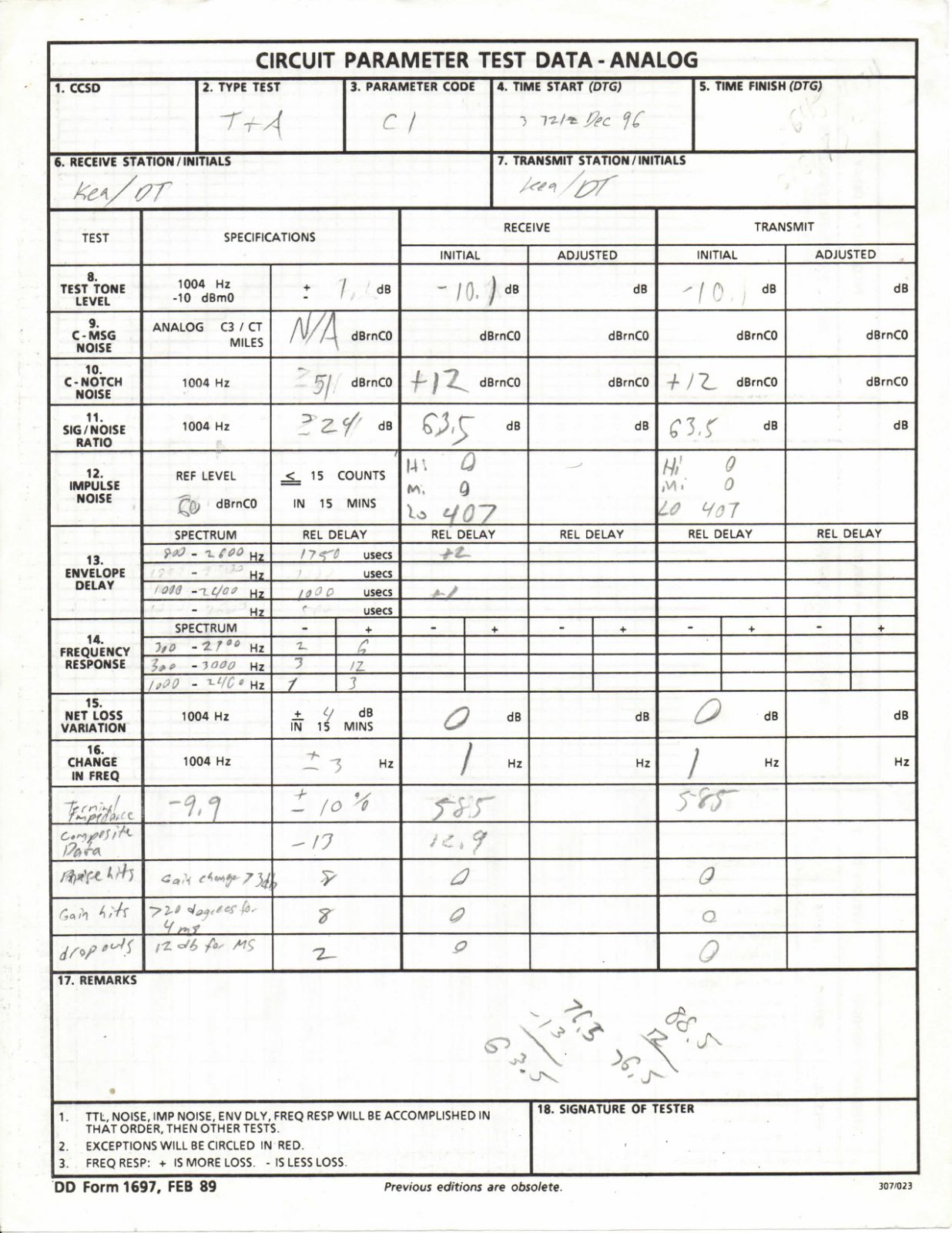
DD Form 1697 page 1


DD Form 1697 page 2


Download PDF: 19961203 – DDForm1697

While stationed at Kadena Air Base in Okinawa, Japan, one of the tasks I sometimes had to perform was circuit testing and acceptance tests. At first glance, that might sound like a dry, technical duty buried in the shadows of military operations — just another behind-the-scenes requirement that never makes the news. But the reality was far richer. Each test I conducted wasn’t just about circuits and voltages; it was about trust, responsibility, and ensuring that the massive communications backbone of one of the most strategically important bases in the Pacific functioned without flaw. What looked like a clipboard, a test set, and a jumble of cables was actually the silent lifeline of international security. And on one occasion, I remember vividly holding the results of a test I had run, the lines and figures staring back at me, representing much more than numbers — they represented readiness, accountability, and the connection between nations.

When people think of the U.S. military presence in Okinawa, they often imagine fighter jets streaking through the skies, ships docking at harbors, or Marines marching in formation. Rarely do they think about the invisible arteries of communication — the circuits that make everything possible. Every order, every radar report, every encrypted conversation between commanders traveled through those circuits. Without them, the most advanced aircraft would have been grounded, the sharpest intelligence dulled, the most well-trained soldiers cut off from leadership. The truth is that no mission succeeds without communications, and no communications succeed without people like us doing the unglamorous but essential work of circuit testing.

Circuit testing itself was a meticulous process. Acceptance testing was even more intense. It wasn’t just about plugging in equipment and checking if a light blinked green. We had to verify every parameter: signal quality, latency, attenuation, and noise levels. These weren’t abstract measurements — if the readings weren’t within tolerance, it could mean garbled communications in the middle of a crisis or an outright failure when lives were on the line. The Defense Information Systems Agency (DISA) had exacting standards, and they expected every facility to meet them. At Kadena, those standards weren’t just a checklist. They were a source of pride. Passing a circuit acceptance test was proof that our systems were world-class and that the Pacific’s most critical hub of operations had the resilience it needed.

I remember one particular day when a test set beeped back results that didn’t align with expectations. The figures were off — just enough to cause concern. I traced the line, retested, verified with another tech. Eventually, after hours of work, we tracked the anomaly to a faulty connector deep in the distribution frame. Fixing it was tedious, but when the retest results came back within perfect tolerance, the sense of satisfaction was immense. That single connector might not seem like much, but in the chain of global defense, it was the difference between secure communications and a potential vulnerability. That day taught me that diligence in even the smallest details mattered, because in communications, the smallest failure could ripple outward with enormous consequences.

Okinawa itself added to the gravity of the work. Kadena Air Base wasn’t just another installation — it was the linchpin of U.S. air power in the Pacific. The island’s location, close to Taiwan, the Korean Peninsula, and the South China Sea, meant it was always on the front line of geopolitical tension. During my time there, the Cold War had ended, but the echoes of its strategic posture remained. North Korea’s unpredictability, China’s growing assertiveness, and the ever-present need to reassure Japan all made Kadena indispensable. Every circuit we tested wasn’t just about the base; it was about the stability of the region. Knowing that put weight on our shoulders, but it also gave meaning to the long nights, the repetitive checks, and the endless paperwork.

There was also a human side to the testing process. It wasn’t just me and a machine. We worked as a team, sharing responsibilities, double-checking each other’s results, and learning from mistakes. In the cramped test rooms filled with humming equipment, we developed camaraderie. We joked, we argued over methods, and we competed silently to see whose results would come back the cleanest. At the end of the day, though, we knew we were all on the same side. The base depended on us, and we depended on each other. The pride in passing a difficult acceptance test wasn’t just individual — it was collective. We celebrated those moments because we knew how much effort went into them.

The paperwork from a circuit test might seem dull to an outsider, just columns of figures and acronyms. But I kept a few of those results as reminders. They were proof of the work, proof of the responsibility carried, and proof of how even hidden roles contributed to something much larger. They reminded me that not all heroes wear flight suits or stand on a parade ground. Some heroes sit in test rooms, headphones on, scribbling down results while the world outside spins on, oblivious to the fact that their work is what keeps the entire system alive.

Looking back, those acceptance tests were lessons in more than just communications. They were lessons in persistence, attention to detail, and the importance of unseen labor. They taught me that history isn’t only shaped by the grand events we see on the news, but also by the quiet victories of people making sure the circuits don’t fail. In that way, the beeping of a test set was as much a sound of security as the roar of a jet engine overhead.

So yes, while stationed at Kadena Air Base in Okinawa, I had to perform circuit tests and acceptance tests. And the results I held in my hands all those years ago weren’t just numbers — they were the story of reliability, of unseen labor, and of the assurance that, when the world demanded it, the lines of communication would be there.

Related Posts

Air Force 5 Level B Set Tech Control Career Development Course Volume 2

Dave


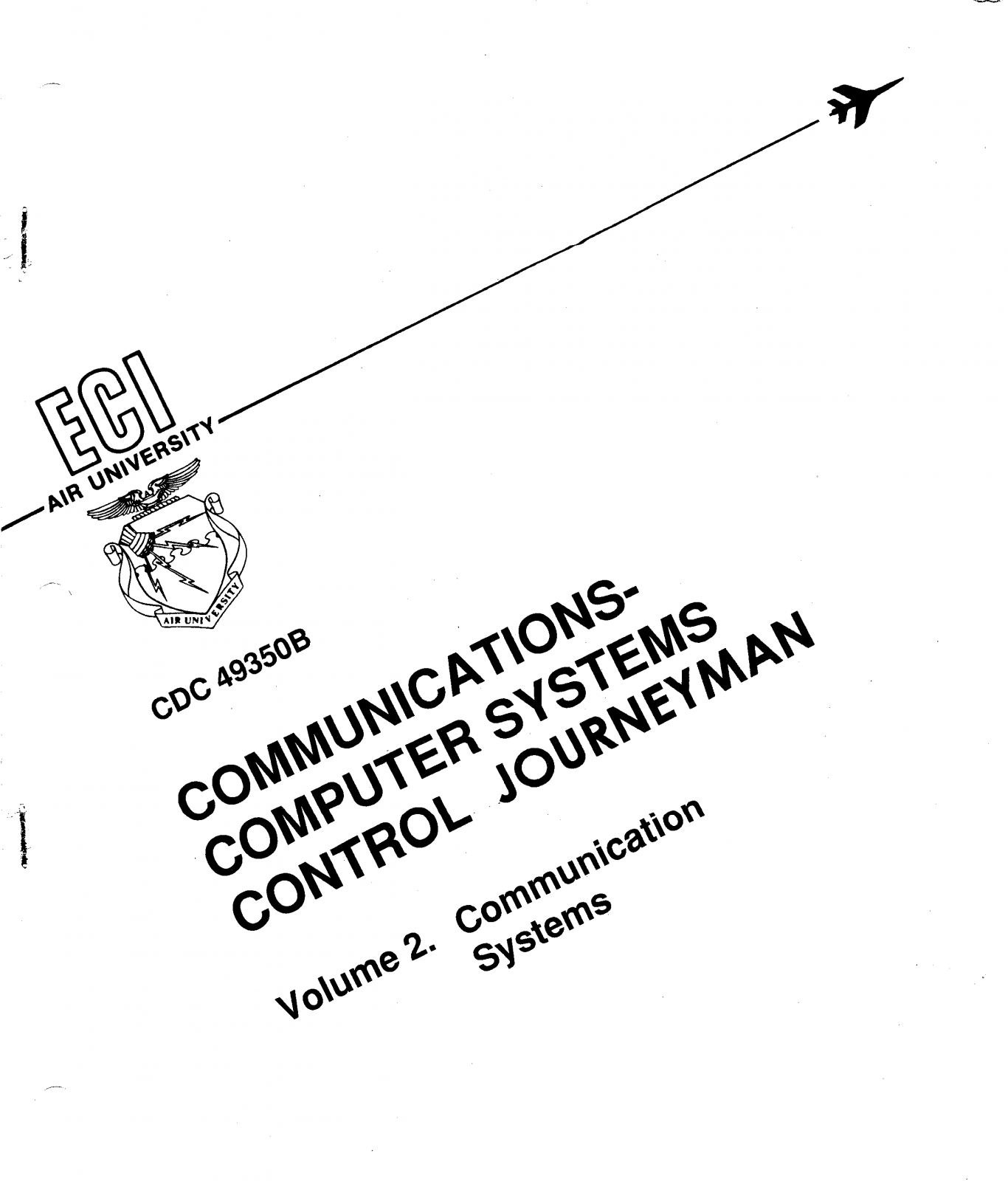
Air Force CDC Volume 2 Communications Systems Cover


📥 Click here to download the full text (PDF)

The 3C251 Career Development Course (CDC) Volume 2: Communications Systems was one of the cornerstone texts for Airmen training in the field of communications during their time in the United States Air Force. Every career field had its technical manuals, but for those of us who worked in the world of circuits, switches, and global networks, this volume was the roadmap. It provided a foundation that transformed raw recruits into skilled technicians, bridging the gap between theory in the classroom and the demands of real-world operations.

What made this course unique was its balance of detail and accessibility. On one hand, it introduced Airmen to highly technical concepts—everything from transmission paths and multiplexing to signal flow and system security. On the other, it broke these concepts down into lessons that could be absorbed even by someone encountering them for the first time. The structure of the CDC ensured that as you progressed through the chapters, you weren’t just memorizing acronyms and diagrams—you were building a mental model of how Air Force communication systems fit into the larger mission.

For many, the study of CDC Volume 2 wasn’t just about passing tests. It was about proving ourselves capable of mastering the technology that connected bases across the Pacific, the United States, and the globe. The Air Force couldn’t function without reliable communication systems, and that meant every line we studied, every diagram we memorized, had a direct impact on the mission. There was pride in being the invisible backbone of operations—the ones who ensured the right message got through at the right time, whether it was a routine report or a command at a critical moment.

I remember carrying this volume with me everywhere, its cover becoming scuffed from use, its pages filled with notes and highlights. It wasn’t unusual to see Airmen huddled in dorm lounges late at night, quizzing each other on multiplexing schemes, DSN protocols, or troubleshooting steps. There was a shared camaraderie in tackling the dense material together, knowing that our success in the field depended on mastering these lessons. For many of us, it was the first true test of our technical aptitude after basic training.

Beyond the academics, the CDC symbolized something larger. It was a reminder that while jets, tanks, and satellites captured headlines, none of them could function effectively without the quiet strength of communications. We weren’t always the most visible career field, but we were essential. This volume, dry and technical though it may have seemed at first glance, held within it the knowledge that kept the Air Force connected, efficient, and effective. In that sense, it wasn’t just a study guide—it was a piece of Air Force history, one that trained generation after generation of Airmen who carried forward the responsibility of maintaining the lines of communication.

Looking back, I realize that CDC Volume 2 didn’t just teach systems and circuits—it shaped the way I approached problem-solving. It taught me to break down complex challenges into manageable parts, to respect the importance of precision, and to never underestimate the value of reliability. These lessons stretched far beyond the classroom and the base. They became habits of mind that carried into deployments, civilian careers, and even everyday life.

Related Posts